

Mini Fusion™ Free Photoshop Action
$0.00
With just one click, you can inject new life into your photos and enjoy stunning color conversions. Optional tints and exposure fix layers let you further customize your images.
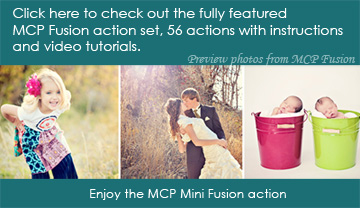
Remember to check out the MCP Fusion™ Photoshop action set, for 56 new Fusion actions.
Description
The MCP Mini Fusion™ Photoshop Action set includes the following:
- MCP Mini Fusion™ action for Photoshop and Elements
Additional information
| What Interests You? | |
|---|---|
| Your Software Version | Photoshop Creative Cloud (CC), Photoshop CS2-CS6, Photoshop Elements 6-15, 2018 |
30 reviews for Mini Fusion™ Free Photoshop Action
You must be logged in to post a review.
$0.00





Blackbird Soap Company
A Real Wow! This is a wonderful action! It can make any basic photo pro in just a click of a button! I’m completely wowed by it! I use this action often! Definitely worth a try!
Allie Cordy
Addicted! I am so completely in love with this action. I use it on EVERY image I work on. I couldn’t live without it!! You can do so many things and get sooo many different looks with it, it’s unbelievable. I can’t believe this is a freebie!! But I’m so glad it is!! Thank you Jodi!! I’m so addicted to this action!! Haha, I don’t think i can live without it, it’s saved my butt (and my shots) many times! Thank you hank you thank you!
Valerie
Totally hooked me on Fusion This is such a treat! Jodi was wonderful to share this action so we could try out the fusion feel in our photos. I am hooked…and yes….I had to buy the full fusion set. Even with the full set…this freebie is still a favorite. It makes colors pop and adds drama. You will love it.
j
love it ! so excited to use it !
KarenB
Best Ever!!! OMG this action is freaking amazing!!! I’m new to actions and this is the first one I found and tried and I’m having a blast giving my photos that extra something!!! Thank you so much for making this a freebie – I honestly don’t think I will be able to live without it anymore!!!
Svetlanan
So helpful! Thank you for sharing this for free! Love how pictures turn out and how you can adjust everything to your taste and to your particular talent! This is what I was looking for a long time! Thank you Jodi!
Jenn’s Life Photography
Amazing that it is free!I love this action.. I seriously cant believe it is free… I have purchased so many other actions that are not nearly as useful as this is.. Weddings… Family… Engagements… Babies… you name it this will work amazing!
Shelley
One of my favorites It is tough for me to pick a favorite, cause I love all the actions I have purchased from MCP, but I cannot tell you how much I love the Mini Fusion set! I took some pics last night and played w/ this set today. It was so much fun. I have had people calling me today, after seeing the pics on FB, and wanting to set up a sitting! Keep up the terrific work you do. You’re helpful to us photographers in so many ways!
Circle of Life Photography
Fabulous!!Jodi has out-done herself with this sweet freebie. Seriously love the pop and depth it gives images~ totally adjustable and only takes a minute. Thanks!!
Misty Costa Photography
Looking through old pictures just to play with this action I just love this action. MCP actions make editing fun again :O) Thank you for all your wonderful products. I can’t wait to see the full version.
Leslie
Really?!?! Free?!?! I honestly can’t believe this action is FREE!! LOVE LOVE LOVE it!!! Amazingly easy to use & makes a HUGE difference in your image. So versatile!! Thank you SO much :o)
Mary
Absolutely Awesome!!!! So excited to use this action, especially after I learn how. So far I just ran it and loved what it did without any tweeking. Thanks soooo much!
Laura Miller (Dallas, TX)
Perfect! I am shocked that this is free. I will use this again and again. This adds the perfect touch of oomph to the colors in the photos to really push them to another level. 🙂
Maí¿a
And it’s FREE !!I’m still amazed Jodi let this one for free !!! It’s not just a test action, just to see how a MCP action works, it’s a real action !! And it works great! You can tweak almost every part of it to make it look just YOU.Anyway, why are you still reading my review ? Download it and play ! 😉 (Posted on 2/17/11)This is so GREAT!
Juli Nguyen Photography
This is so GREAT! First time using an MCP Action and I love it! Mini-Fusion gives such a nice pop of color and makes the image so vivid. I like that you can can control and customize the look of your images with this action which makes it that much more fun to use!
Melissa Wallace Photography
LOVE! This, like all of your actions are superb! Thank you for sharing your talent with us! I can’t wait to acquire even more of your sets!!!! 🙂
Wendy H
Free to See how it works for Me….. MCP FREE Actions has opened up a whole new world of creativity to a novice photographer – like me. Mini Fusion makes it so much easier to manage my layers – by doing the hard work for me! MCP FREE Actions – I L <3 ve your FREE Texture Applicator, and your FREE Facebook fix too - these actions are helping me to navigate the pathway toward a full set of Actions and the confidence to use them as professionally as you do.....LOVE LOVE LOVE <3
Emily
GREAT! I love this action! I am just beginning with my digital photography and not ready to spend a lot of money actions. MCP with its awesome video tutorials and freebies have gotten me started. I love this set because it really shows you how to customize your pictures. It makes me want to buy the big Fusion set!
Jimphotog
Wonderful Action !! This is one of the best actions you’ve created to date Jodi . . thanks again for allowing everyone to try it out . . it’s great 🙂
Keila June Photography
This action rocks!! I can’t believe this is free! I was able to enhance so many different kinds of photos from indoor flash photography, to natural light and outdoors. And the results are awesome! You can really customize it to your needs and it’s very detailed with masks and all. Pink Cadillac is my favorite 🙂 Amazing! THANK YOU JODI
Mandi
Excellent This is a great action! It does so much!
dlk142
enjoyed..gave the pic an antique look I always enjoy the fun things that are shared. I had taken a teacup, used paths to “cut” the top, placed my granddaughter in the cup, made up a background with brushes and patterns, then put the whole thing through the action. Gave it a nice new look…
Liz
Awesome This action does way too much to be FREE! Contrast, tint, exposure fixes…unbelievable. Thanks MCP for such a wonderful gift…can’t wait for the full version!
Kassi
Amazing!! I have loved every second I’ve used this action!! You can get so many looks from this one action!! Wonderful!! Wonderful!! Wonderful!!
Gail – Whoop-sie-daisy Gallery
Another great action and FREE!!I am already so in love with my Magic Skin actions, I can hardly edit a photograph without it …and this is just another layer to add the pop and beauty we crave in our photographs as artists. I love that you have so many controls and so many options…I worked on just one photograph a little bit ago for a few minutes and came up with 4 different versions in a few minutes…you can imagine the possibilities. Thanks so much…love it!!
Katie Watts Photography
Love It !!I love it! It really makes the colors pop! Thanks so much!
Lacy
Love this Action!I’ve been wanting to used MCP actions for a while now and just tried this FREE action … LOVE LOVE LOVED IT!!!! I can’t wait to get more now!! Its so easy and makes such a BIG DIFFERENCE!! THANK YOU SOooooo MUCH!!!!
Myriah Grubbs Photography
Can’t believe this is free!!! This is a really great action. I actually can’t believe it’s free!!! It’s so versatile and you can really customize it. Two words: LOVE IT!!!
Tammy
Love! I can’t wait to try it out! Thank you!
Ms Pixel
LOVE, LOVE, LOVE Review byThis action is great! Colors are amazing! Thanks so much!!!!!