
Featured Products
-
Sale!

-
Sale!

-
Sale!

-
Sale!

-
Sale!

-
Sale!

-
Sale!

-
Sale!


After posting all of my vacation photos from Northern Michigan, I got a lot of people writing and asking two questions. One was “how do you get such great color?” The answer, good exposure and using the appropriate MCP Actions to enhance the Straight out of Camera shots. The second question I get is “how did you get those beach sunset silhouette photographs. This question is the focus of today’s post.
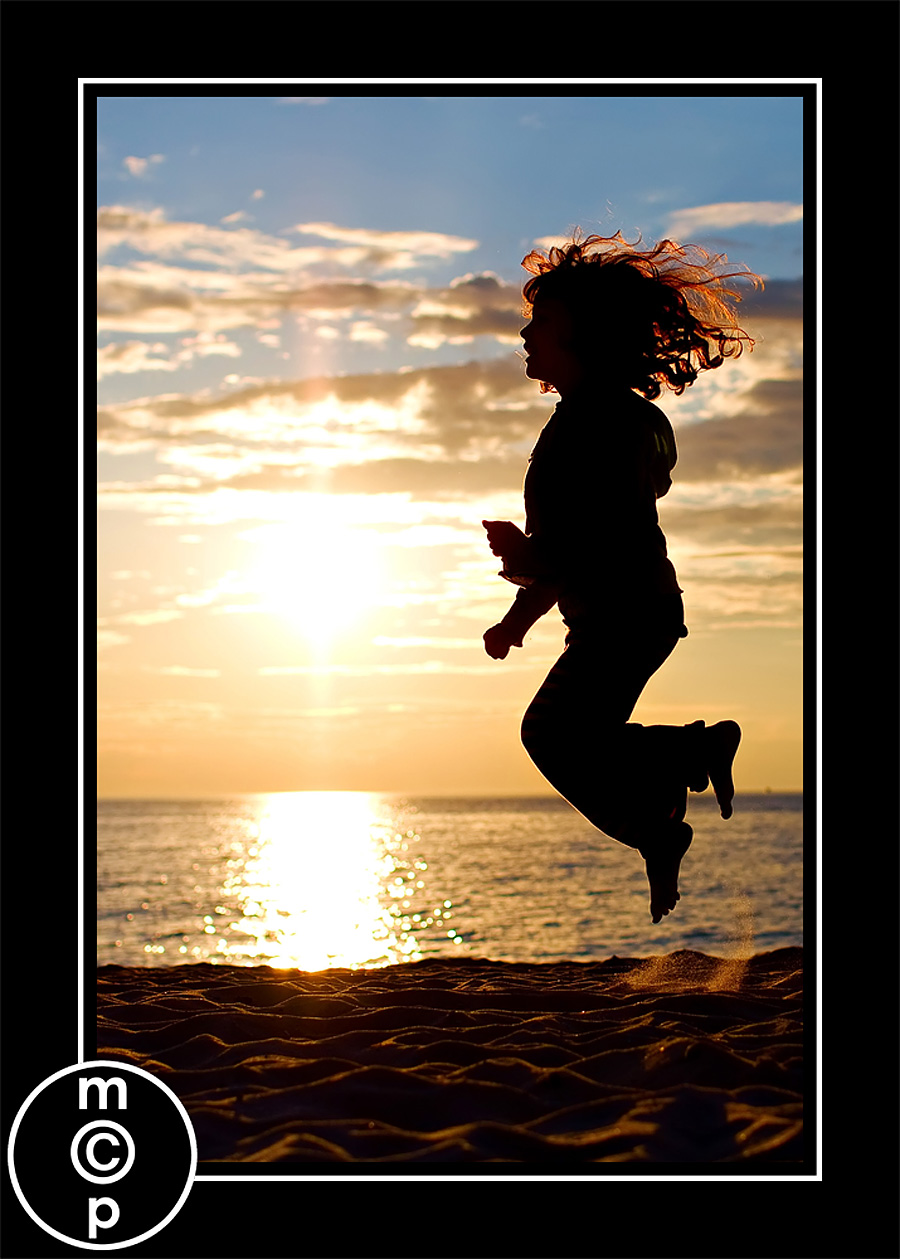
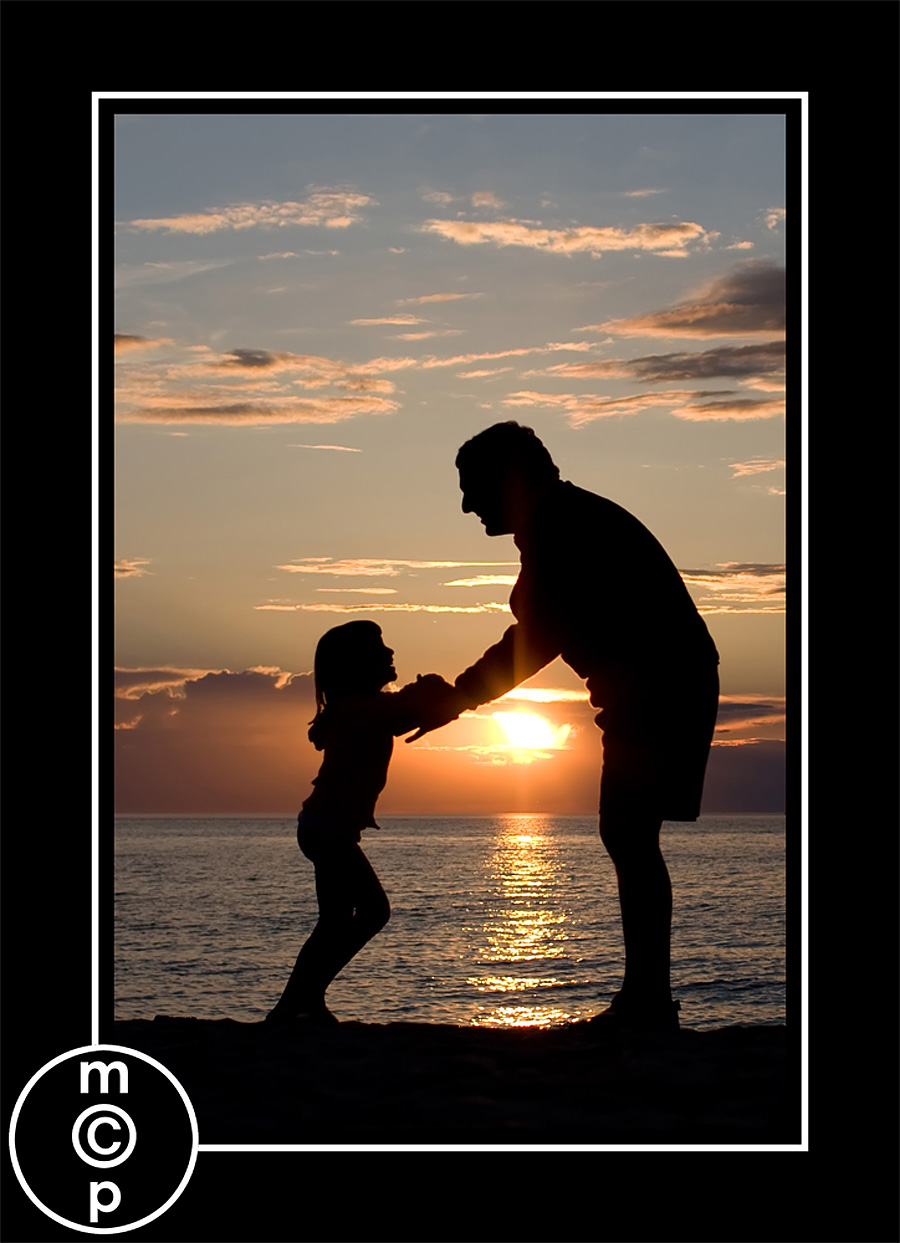
For all of these photos shown here, my formula was simple. I metered for the bright sky, shot in manual, and got down very low so I was shooting up at my subjects. I literally was laying in the sand, propped on my elbows or twisted laying on my side for many of these. For the ones where my girls are up in the air, I asked them to jump up and bend at the knee. Since I was down low with my camera angled up, it gives the illusion of a higher jump.
Here are my settings for this 1st photo. Most were shot with these same settings, but a few varied slightly.
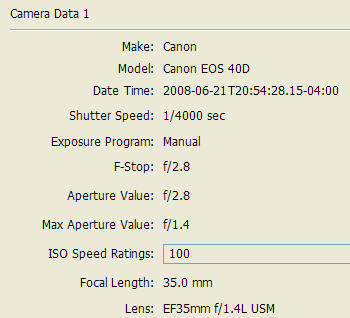
You can see I used my 35L on my Canon 40D. I shot in Manual at f2.8, ISO 100, and was at a speed of 1/4000 sec. The SOOC shot was not completely dark for this shot. But I fixed that in Photoshop. Stay tuned to part 2 to see what I did, and how you can make your silhouettes more dynamic. As the sun got lower in the sky, I literally did not need to do any darkening of the subject, but many of these were 30 minutes to an hour before the sun set. The ones closest to sunset I did no editing for my proofs, such as this one directly below. The light was perfect here.
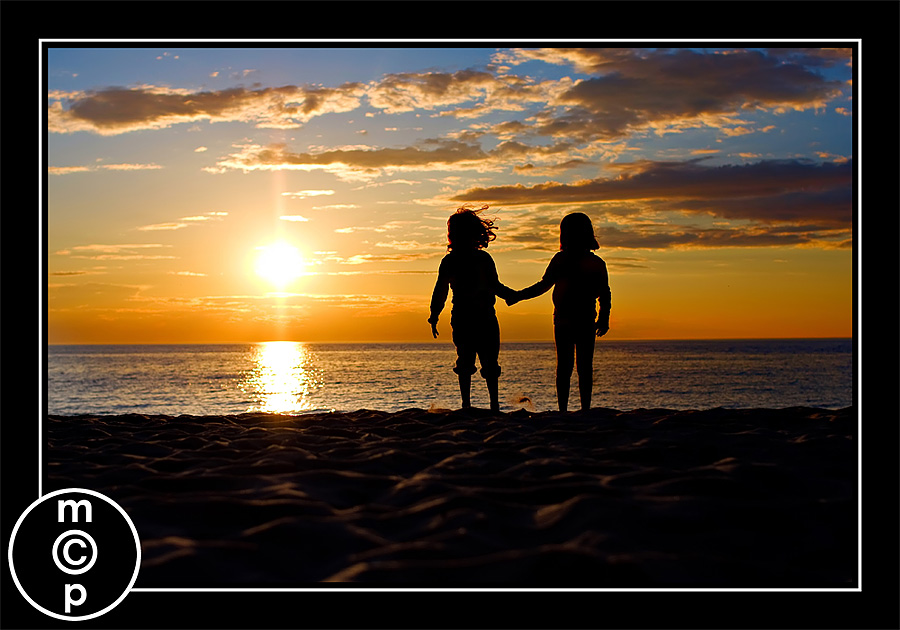
This one they held hands. They were further from me. The colors on this one below were enhanced using “color burst” from my Complete Workflow actions set. To learn more on how I edited these. See part 2 this coming up week.

No Comments
Leave a Comment
You must be logged in to post a comment.




















Recent Posts









AWSOME!!! love all the color you were able to capture..the depth of the of clouds amazing!
Here is my inexperience with metering talking. How do you meter on a specific point and then focus on another. Thanks….
Thanks for asking that quesion Dennis. I was wondering the same thing.THANk you! thank you! Jodi for doing this tutorial. I love your sunset shots.Can’t wait for part 2.
Dennis and Kate – you meter using your center point. Adjust your exposure in manual – adjust ISO, Aperture and Speed. Your settings will not change if it manual once they are set. Then focus and shoot.
Ah so if I shoot aperture priority then I cant manually meter?
Great tutorial! Thanks – and I’m looking forward to part 2.
Dennis, nope – in Aperture Priority, you set the aperture and ISO, the camera picks the speed. I would recommend shooting in manual, especially for shots like these. Your camera will not know that you want silhouettes. And it will try and expose everything so that your subject is not dark.make sense?Jodi
I was afraid I had been doing it “wrong”, and am so glad to see that you had shutter speeds as fast as mine with apertures as open as mine! Whew!I have a hill I love to do shots on, and I also lay down on the slope to shoot up. The first time I did a silhouette shot was just after a rain, and I kept sliding down the wet hill. ;)I’m looking forward to seeing how you process your silhouettes, and if it’s anything like I do. You can see some of my silhouette sneak peeks here: http://perfectlynaturalphotography.com/category/silhouettes/ – there’s a GORGEOUS one of the couple in the family session about to kiss – I find it rather sexy 🙂 – and a fun one of her boys playing ball.
Absolutely beautiful! Wonderful captures!
I am going to Destin Florida in August. Now I want to try this. 🙂
It might be possible to lock the exposure in aperture priority mode as well, if your camera provides aperture-lock control. In that case you can use spot metering for the brighter areas and use aperture-lock to keep the setting, re-compose the picture and shoot.
Nice shots. I liked the first one most. I liked the small details like the sand raised because of girl’s jump
I really love your silhouettes they are wonderful!
Your Silhouettes are awsome now I can try my own Thank You…..
Very nice silhouettes!!