
Featured Products
-
Sale!

-
Sale!

-
Sale!

-
Sale!

-
Sale!

-
Sale!

-
Sale!

-
Sale!


Today’s tutorial is by Jayme of Lucid Graphic Design. She is sharing great way to do a custom white balance and save some pennies at the same time!
What is this secret? Well it is $80-100 less than an Expodisc but not quite as pretty.
It’s a clear Pringles lid with a circle cut out of a coffee filter and attached.
How it’s attached:
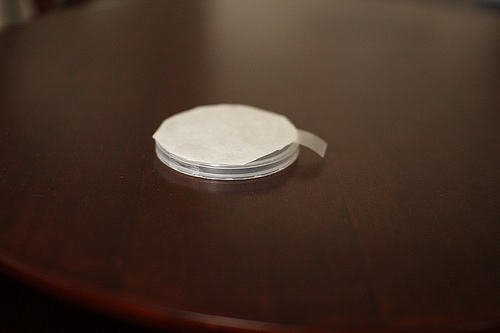
Finished:
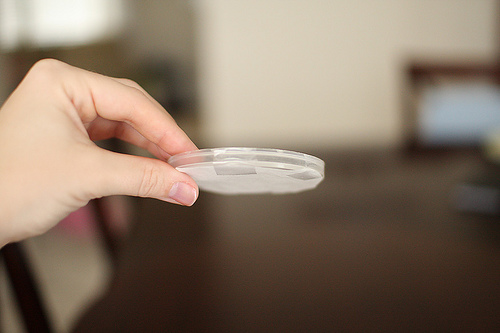
What you do is hold it up to your light source filling the camera frame, adjust to properly expose, snap the photo (you’ll need to do this on manual focus). Then follow your camera manual for custom white balance on your camera.
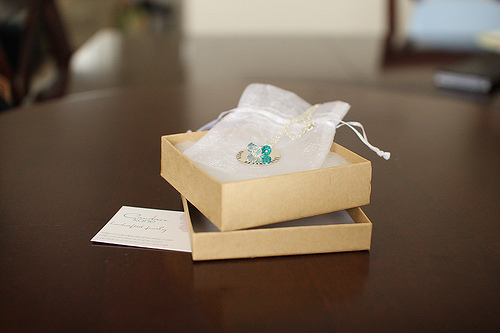
Here are the results, it works awesome & you can see has the best results!
Custom WB with the Pringles lid:
With AWB:
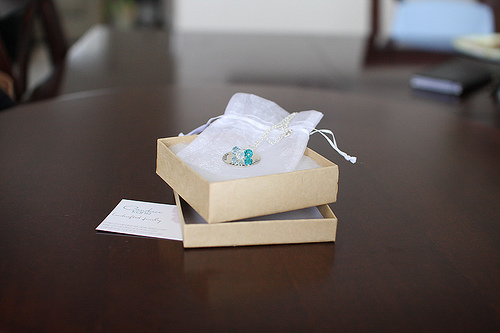
With the Shade preset since I was inside, no lights on, next to a window:
I hope everyone enjoys their new craft project – and their new photography tool. Please comment if you have a unique way to accomplish a task – as I would love to feature more readers on my blog.

No Comments
Leave a Comment
You must be logged in to post a comment.




















Recent Posts









I read about this long ago and always wondered how it worked. I don’t make coffee so never have a filter to play around with. I did just read somewhere that for somebody who did a bunch of tests with products & this way, the Pringles lid came in 2nd!I did just buy myself a digital grey card, so I won’t need to beg a coffee filter or Pringles lid from a friend, but I’m glad to know this works in a pinch. 😀
I would definitely be game for trying this. I love creative ideas. I was noticing for the expo disc, you would have to buy more than one if you use different size lenses, that didn’t appeal to me. I wonder what size this will accommodate.
I would definitely be game for trying this. I love creative ideas. I was noticing for the expo disc, you would have to buy more than one if you use different size lenses, that didn’t appeal to me. I wonder what size this will accommodate.
this is so cool! even though i shoot raw 100%, i am definitely giving this a try.
With products like the Expodisc, you purchase the largest size (i.e. 77mm) and that will work for the 77mm and all sizes smaller. You simply hold the disc to the smaller lenses versus screwing on (same way you do with this Pringles lid method).
Thanks for always giving us such great ideas!
I’ve never done the custom WB on my camera before – when I’m concerned, I just switch to RAW. But this is great! I realize I still have so much more to learn about photography, even though I’ve done it for years.
Oh wow! Thanks for the fabulous advice. Money saving too.
Just what I need — an excuse to buy some Prigles!!! Thanks for the info!
What a GREAT idea! I’ll definitely be making one of these in the morning to add to my camera bag, thanks 🙂
This is great! Thank you for sharing 🙂
Another cheap way to achieve WB is to use a styrofoam cup. 🙂
I tried this today. Worked GREAT. Thank you for this post. 🙂