
Featured Products
-
Sale!

-
Sale!

-
Sale!

-
Sale!

-
Sale!

-
Sale!

-
Sale!

-
Sale!


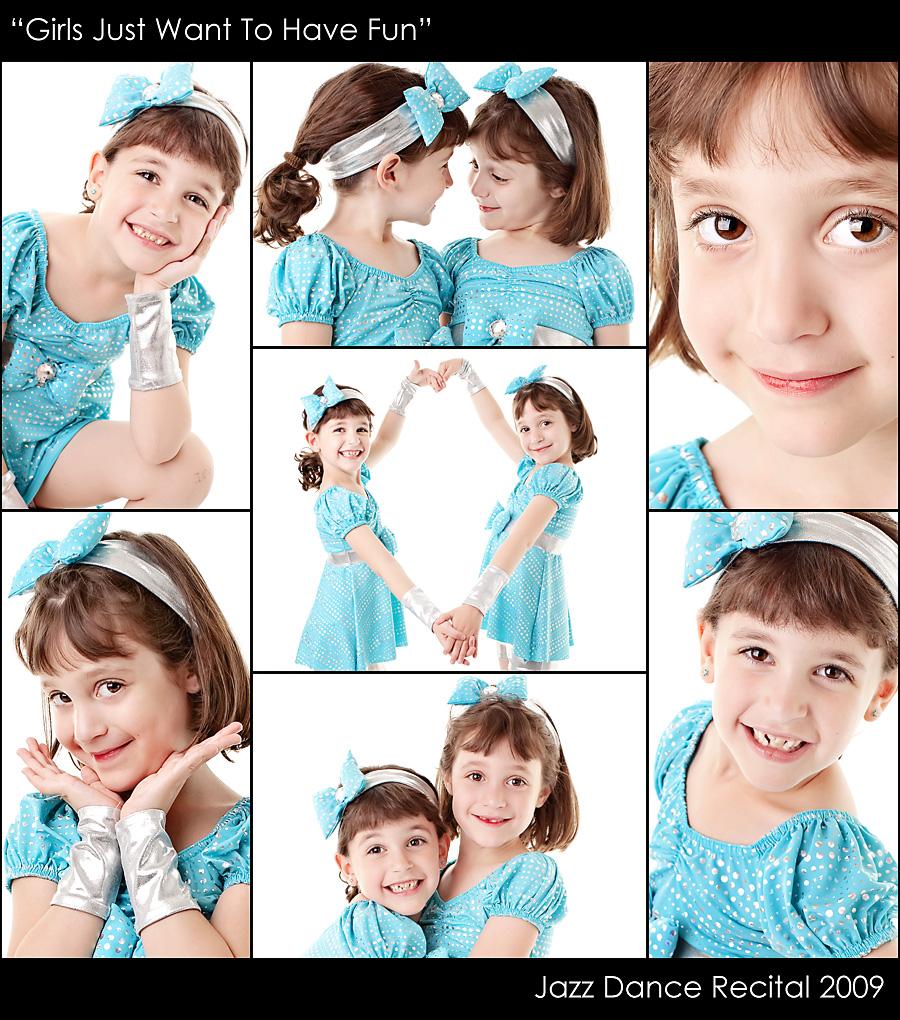
White backdrops are hard to photograph, especially in tight spaces. Ellie and Jenna’s dance recital is coming up. I just had to photograph then in their costumes before the big day. I am getting kind of rusty with my studio lights as I much prefer natural light photography. But I did what I could and I will share with you my set up and equipment.
I only have an 11×13″ studio/office (and the desk now takes over 2 feet so closer to 11×11″). Most say this is way to small to achieve a white backdrop. I am hear to tell you it can be done. So if you have a small space, you may want to read on…
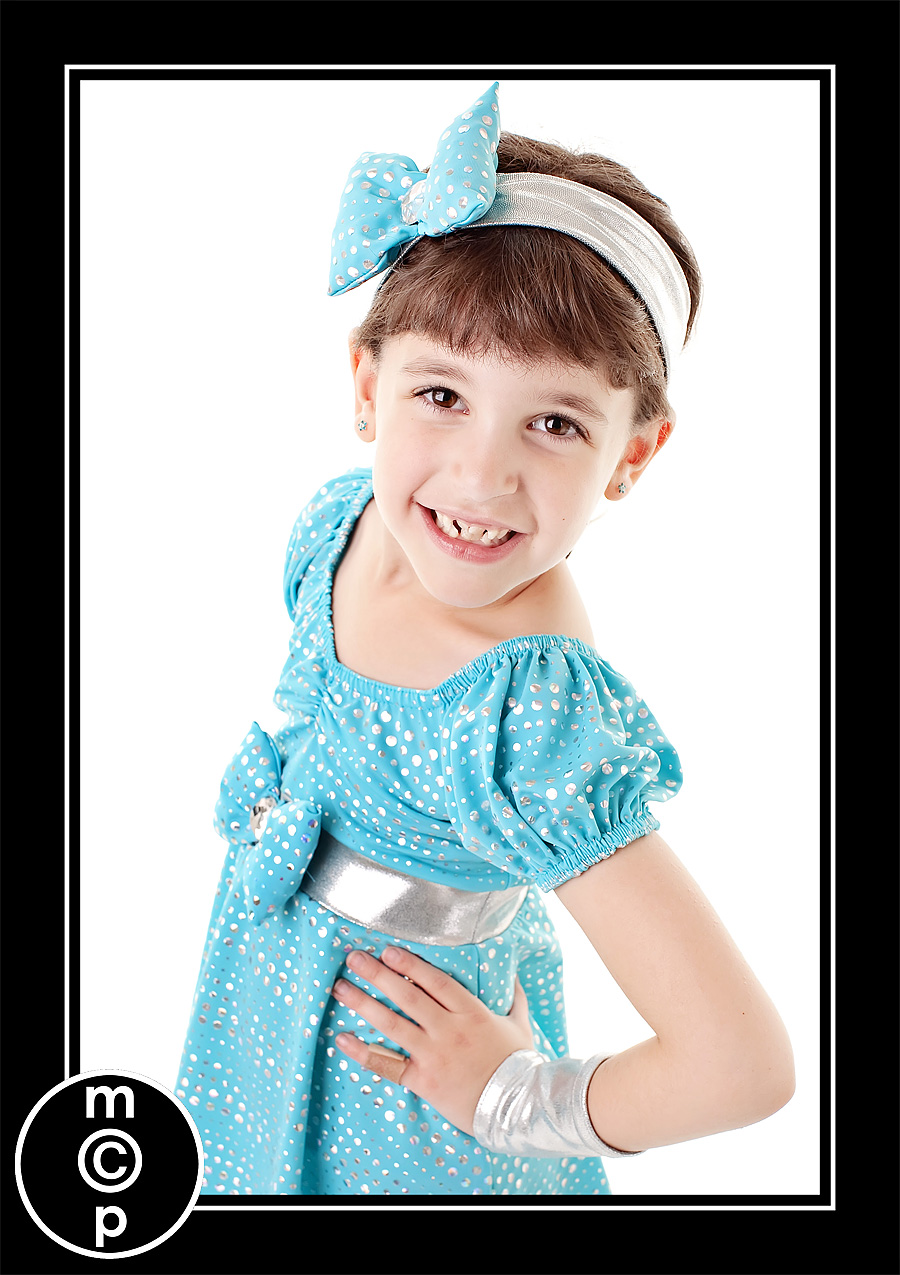
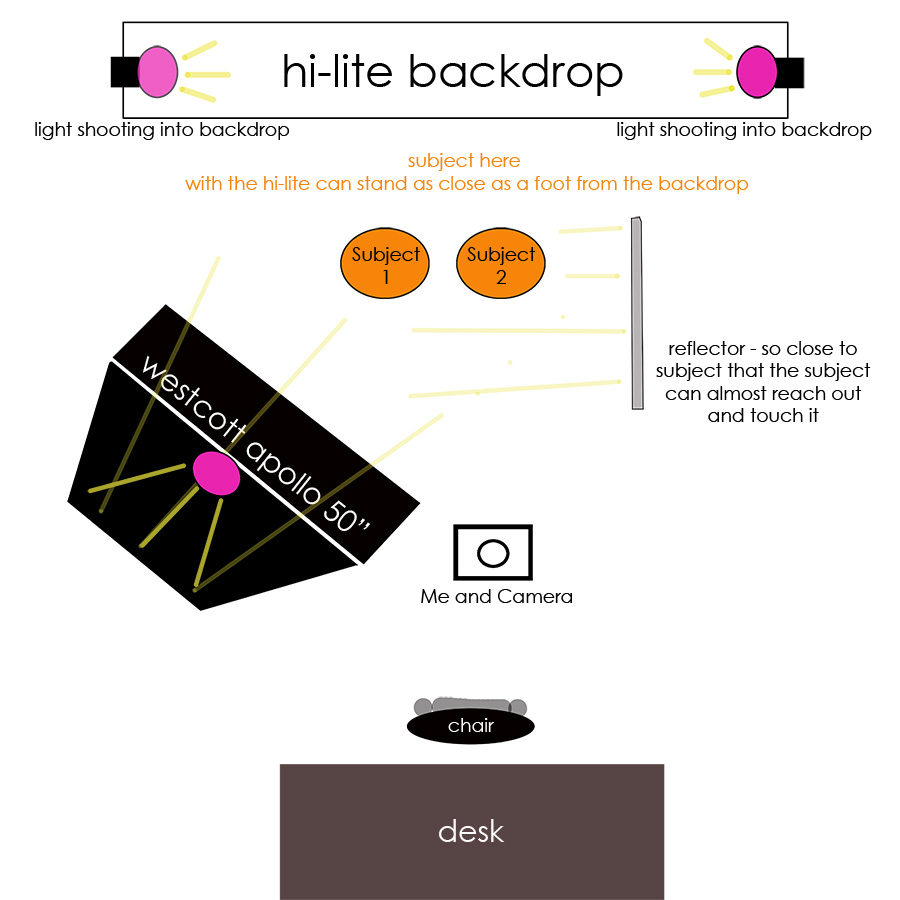
I wanted to get a crisp, clean look so I used my Lastolite LL LB8867 6 x 7 Feet Hilite Background. I have two Alien Bees 400 lights shining inside it. I meter for these lights at f/16 so the background gets purposely blown at 255 for R G and B. Then I used one Alien Bees 800 as my main. I meter this at f8. I used a Westcott Apollo JS Softbox with Recessed Front for Flash (50×50″ softbox) as my modifier. It is huge but the catchlights are so worth it! For my fill, I used a California Sunbounce Mini Super Saver Starter Kit with 3′ x 4′ Frame & Silver / White Textile Reflector. I just recently got it and LOVE it. I plan to use it both in studio and outdoors. On the floor I use a piece of tileboard from Home Depot, cheep and effective! The only thing is for full body shots, I need to clone out the black rim around the Hilite, well unless I use the sweep, but it gets a little slippery.
Since so many asked, here is a diagram of my entire office – well minus the mess… Hope this better helps explain my set up.
I started my shoot with my Canon EF 35mm f/1.4L on my Canon EOS 5D Mark II. Because of the small space I was not happy with the light distortion of the 35L on my full frame camera in such a small space. So I switched to my Canon EF 50mm f/1.2 L. It was perfect. Had I wanted full body, I likely would have needed the 35L and had i just wanted closeups I could have used my 85L. But I wanted flexibility so I decided on the 50mm length to get closeups and 3/4 length.

Next, for the set up. As I mentioned, the Lastolite LL LB8867 6 x 7 Feet Hilite Background was against the back wall with the 2 AB 400 lights inside. The AB 800 with the Westcott was at a 45 degree angle to the subjects with the light feathering them. At times they actually were more directly in the light, and this is when you can see the red channel got fully blown in spots a few times. The Sunbounce was at about a 90 degree angle to them and was super close to them – really they could almost reach out and touch the Softbox and the Reflector. As for camera settings, I was at f8-f9, ISO 200, 1/125.
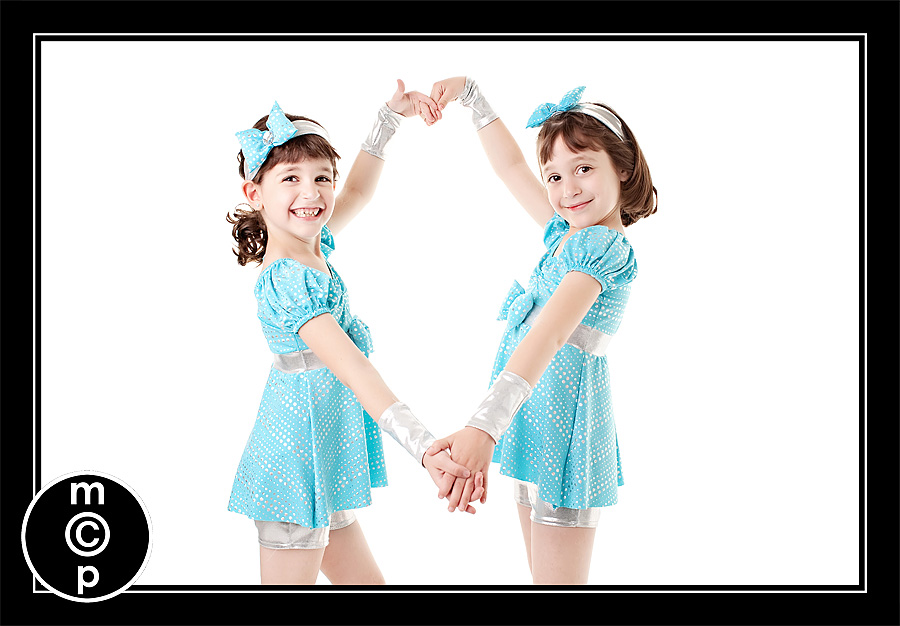
I had about a 2 foot area to move around and shoot. It was almost like looking through a small window at them. They did not have a ton of room to move either. They could not be as creative in posing as they or I would have liked. But it was still fun.
For post processing, I used Lightroom to take them out of Raw, and slightly adjusted color and synced, as I could not find my gray card and I did not want to give my twins time to change their mind. Then I extracted into Photoshop ran “Color Burst” from the “Complete Workflow” and “Touch of Light/Touch of Darkness.” I did not smooth their skin, but I did use the patch tool and clone tool set to lighten for their under eye creases and shadows. Last step was to crop if desired and sharpen.

These images needed very little post processing. I did NOT do anything to the eyes – the Westcott seriously gets catchlights that need no extra help. And at f8-f9 it is hard to mess up focus when I am use to shooting so wide open.
I hope this helped. I would love your comments. Oh – and if you have advice about me not blowing my red channel, I am open to that too 🙂
Jodi

No Comments
Leave a Comment
You must be logged in to post a comment.




















Recent Posts









Your daughters look like they truly enjoyed themselves. The pics are crisp and the silver on their costume does not look washed out!! Love it!
I am a bit confused by your set up. What do you mean by”…..he 2 AB 400 lights inside?” INSIDE WHAT?Do you mean AIMED at the background? How far from the background is your subject? I noticed some blowing out of the white in some of the subjects since the white is blowing right back at the rear of the subjects. With 11′ you have no choice but having them almost on top of the background
Always such good information…thanks for sharing!
This is amazing. I absolutely loved reading your post and I loved, loved your play by play. A true professional.This said, the images are outstanding. I must confess..I’m desperate to master inside photography. I feel so good about my “OUTSIDE”…but man…this was a great post to really see the challenges and encouragement for inside. Fantastic job. As always..I’m a huge fan.Hugs,Andrea
This is so great! Thanks for giving us the formula. We live in town and there is a PROFOUND lack of space!
your daughters – so beautiful and cute! i think your studio work looks great, I’m no where near good at that type of work!
I have always struggled with the white background….it makes me crazy sometimes….okay all the time. I love it though and how it is so crisp. When you say you put the lights inside the background, do you mean that they are shining behind them towards the background? Also, how far are they standing off of the background…about? I only have two AB800 lights and can make it work, but I have to do A LOT of touching up afterwards and I end of not using my white background the next time because it just doesn’t look like I want it to. I guess I really need three lights. Your work looks great! thanks so much for all of the helping postings. I loved the one about “posing”! Keep them coming…they are very useful.
Jodi, the next time you set up your backdrop and lights, could you please take a picture of what your set up looks like and post it? It helps me so much to see that part! Thanks! The girls are beautiful!
Hey Jodi, thanks for sharing all this. I’ve been thinking about getting a backdrop and Lastolite to shoot my kids indoors, although like you, I really prefer the natural lighting look. But your pictures look absolutely fantastic!!! I have a Nikon D200 and bought a 50/1.4 prime so I can shoot with no flash. It works great, but sometimes there’s no avoiding it. Anyway, I was on someone else’s website the other day that was demonstrating exposure correction, and he like you has a Canon camera. He did say that the Canon’s were somewhat prone to clipping the red channel as they tend to have a warmer (read over-saturate the red channel) look (which personally I like). On my D200, I usually have to increase the warmth of my photos. Anyway, I know that you can modify various Picture Style settings on any of the EOS cameras. If you shoot with the deafault Standard style, you can go ain and adjust the hue settings, which will allow you to bump dow the red channel a notch. This may fix your issue. Canon also has a Neutral pciture style, bumps down saturation and sharpness by default, I think. Here’s a link from Canon’s website about this.http://www.usa.canon.com/content/picturestyle/shooting/index.html
Thanks everyone. Unfortunately the room is small and the door is angled from the corner – so it is near impossible to backup and get a photo of the whole set up. If I can find the time – I will draw a diagram though.Brad – thanks for that info – I am pretty sure if I shoot Raw that picture styles are not embedded anyway. But I will check it out and see if maybe I am wrong. Interesting about the canon vs nikon.Jodi
Good info Brad. Jodi, I agree that a few pics of the actual set up gives others not only perspective but a clearer vision of what you’re describing in your narratives. As usual, you have great information. I am so happy I stumbled across you blog over a year ago. I read it religiously. I should make a binder of it all so I can flip through all your wonderful hints, tricks, and tips.
Awesome job. I’m definitely putting you on my reader list! my twinners are 13 months and boy/girl. Your girls are cute. Definitely fraternal? My white background & I don’t get along much at all.
I just added a diagram – hope that those of you who wanted to see it check back here!Let me know if you have any questions.Jodi
Hey Jodi, you are correct about picture styles not being used in RAW if pulled up in PS or Lightroom, but apparently the picture style info is embedded into the RAW file, and when opened using Canon’s own RAW convertor (DPP), then the picture style settings are available and can be changed there also. Here’s a clip I found in a forum on this:”The picture styles are definitely applied to the in-camera JPG. They are also noted in the RAW file. When in DPP the picture style is used as the default processing and will be applied when you convert to TIFF or JPG. But you can over-ride it and use a different picture style if you wish. It can be a time-saver if you know you want a certain picture style to be applied, you are shooting RAW, and you are using DPP to convert. It has no effect in non-Canon RAW converters however (like Adobe Photoshop and Lightroom or Apple Aperture). They don’t know how to read the picture style tag Canon puts in the RAW file, and the picture style itself is a proprietary curve developed by Canon.”Don’t know if this helps, but it at least answers the question. Also, thanks for putting up this diagram. Your room may be small, but I can’t imagine the photos you took could look any better. They are so good!
Hey Jodi, I think you look beautiful over there at Ree’s site. Before and after.
Thanks Puna – can you believe the comments – wow – I sure stirred up some emotions. Oh well… It is interesting seeing multiple points of view.
HA! I read your blog post this morning and while it sounded great I understood very little of it… since I don’t own anything other than a speedlite. 😉 When I came back later to share my *non-understanding* you had added in the diagram of your office!!! AWESOME!!! Thanks! I still may not “get it” but I am sure I’m closer to getting it now.
Michelle – glad that was helpful. To light what I did – you really need at least 3 lights. So that may be part of why you are lost. You need two lights to light the white backdrop – whether it is a backdrop like this or a paper one. And one plus a reflector – or two – to light the subjects.Hope this helps!Jodi
Jodi,Your girls seem like a joy and are so cute. I loved reading about your workflow. Thanks, for sharing this with us!Beth
Hi, Jodi…..I’m with Michelle in only having a speedlite, and not quite getting it all. But I love your explanations, and each time I think I “get” one more idea. Thanks for the post-processing tips. I have some of your actions, and will get more. But I learned so much from your classes, I do alot myself.And…..I’m so glad you put in the pictures of the girls. Since you said they had a dance recital I was hoping you would share. Next are the recital pictures!Michele
Hi Jodi. i have just got a 50mm 1.2f for my nikon and i cant seem to get that crisp focas that you achieve. Is there a trick?
Thanks Jodi. I have a little space and almost the same set-up, but just moved into my studio and haven’t used it yet. This gives me more confidence in the equipment I have. I can’t wait to work with it!! These shots look great!!T
I’m not familiar with studio lighting AT ALL yet, but these came out amazing, and i absolutely LOVE the catchlights!
GREAT post! I’m wondering if it would work for you to put some white Gaffers tape on the black rim of the Lastolite (why in the WORLD would they make that black and not white???) to save you from having to photoshop the black in full-lengths? I’m not sure what you meant by sweep?
what a great idea Christine – just not sure I could do it neat enough…They have these sweeps – that are almost like vinyl – it could cover the black and then goes out 6 feet for the subject to stand on…
Jodi I have the extra large Hilite backdrop thats like 6×7…Its large but tall adults can stand up close to area without a problem…We used the same setup last week photography 38 3-4 yr olds but only had one light for the back and 1 key light. It took little more post processing work but white backgrounds came out steller…I highly recommend this set up…The kids can actually stand right up on the backdrop. They can even run around without and issue. One boy did several Karate kicks and placed in storyboard fashion…Wish could post some pics to show how easy this was!! Infact this was our first time using and parents just loved the photos
I have a bit larger studio so have the luxury of a bit more space but don’t worry too much about getting the background pure white from lighthing. Its very quick and easy to dodge the background to white for any ordered images. THis also means that the subjects are correctly lit and you don’t lose any detail, especially when they wear white t shirts!!
Best tutorial EVER to get a great white background is:http://www.zarias.com/?p=71In this blog the person had a Lastolite backdrop thing in which you can put the lights in the background so that there is no spill from the lights onto the subjects. They can shoot in a confined space because of the no spill. If they did not have a Lastolite they would need much more room so that the subjects could move far enough away from the background as to not get and spill light washing out the back of them.Go to the tutorial if you don’t want to spend $600 on a Lastolite background I know I don’t have money like that, I wish I did!!!
Thanks Jodi! I enjoyed the pictures you’ve posted.http://tipdeck.com/
Hi Jodi,Thanks for the great tips! Your twins are absolutely adorable, and your photos are great too! I have a very new business through Etsy, where I sell my handmade earrings and accessories, and I’m constantly looking for new photography tips! I’m pretty new to photography (took one or two classes about 7 years ago), so I’m still at the point where I really don’t know what I’m doing. As of right now, all of my photos take place outside, but I’m really considering switching to a white backdrop to give it a more professional, catalog-type look. Your explanation has giving me some great advice, Thanks so much!!Rachel
Thanks for the technical’s. I have a white background shoot coming up and will try out some of your technique. Post processing is an issue with me as its great to be able to get the shot without it. Many Thanks