
MCP Collaboration – Free Brushes for Photoshop
I had a brainstorm today… Guests have become a fun part of my blog, mainly because everyone has something valuable to give. So I thought I would start a new concept here at MCP: MCP Collaborations. These will be a FUN way to have all MCP readers help each other.
I hope all of you will participate! Here is how it will work. I will name a topic. And I have a bunch of great ones planned. And we will brainstorm a list together. Then I will create a post from that brainstorm – in an easy to find place so you do not need to dig through all the comments. If you have any idea what you would like to collaborate on, send me an email directly or through my site.
This week’s collaboration is: FREE Photoshop Brushes
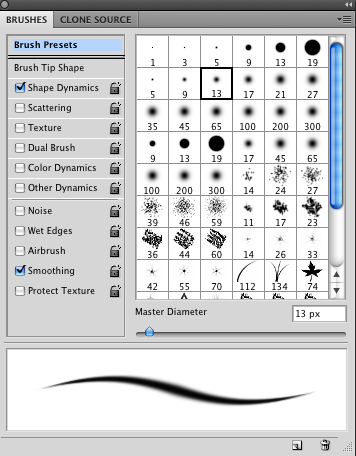
I have a list of links started to share with you but I want to make this list bigger and then share it in a post with everyone.
To make this the very best it can be, please comment below with a link to your favorite free brush sites . I will compile a list and post it on the blog next week. The more people that participate, the better this resource will be. If you read this from Facebook or Twitter, please come to the blog to comment or your resource may be missed accidentally.
Please post like this example:
(site name) Brusheezy: (link) http://www.brusheezy.com/brushes (write a description of what types of brushes they have) huge assortment of brushes
Look forward to this. I have many more collaborations planned if this 1st one is a success.
Tags: MCP, MCP Collaboration, mcpactions31 Comments
Welcome to the MCP Actions Photoshop Blog
- Learn to enhance your images with time saving Photoshop tutorials. Join us for daily blog posts with the latest photography and photoshop tips, contests, photographer interviews, and blueprints teaching how to use photoshop actions.
Featured Posts
- Editing Landscape Images Using Actions in Photoshop
- My Camera Takes Really Nice Pictures
- Over-Editing in Photoshop: How to Avoid 25 Common Editing Mistakes
- Portrait Photography Trends & Fads: The Good, The Bad, The Ugly
- Finish It Photoshop Actions Set Now Available ~ Changing the Way You Prepare and Display Images on the Web
- See All Featured Posts
Recent Posts

- Win Holiday Card Templates from Photographer Cafe
- Photoshop Alone Does Not Make a Good Photographer
- Watch Me Work: Photoshop Actions & Workflow Online Class
- Tips for After Your First Portrait Portfolio Building Session: Part 2
- 7 Tips for Your First Portrait Portfolio Building Session: Part 1
- See All Recent Posts

Polls
Photoshop Tips
- Outdoor Image Fixed in Photoshop: Better Sky ~ Better Lighting
- Senior Photography: Tips and Tricks on Posing, Locations and More
- Using Photoshop Actions to Enhance a Blue Sky and a Rainbow
- Photoshop Actions: Glossary of Offerings by MCP Actions
- Photoshop Actions: A Guide to Choosing the Best Actions
- See All Photoshop Tips
Video Tutorials
- Photoshop Video Tutorial: Watch Me Work {Color Pop, Eyes, Skin}
- The Secret to Using Photoshop on an iPad and iPhone
- Installing Photoshop Actions in Elements: Video Tutorials
- What Are Photoshop Actions And How They Can Help Or Hurt Photography
- Free Photoshop Action + Video: To Add Texture to Photos in Photoshop
- See All Video Tutorials Posts

Categories
- Activities
- Announcements
- Assignments
- Blueprints
- Business Tips
- Cancer Awareness
- Contests
- Discounts, Deals & Coupons
- FAQs
- Featured Post
- Free Actions
- Free Photoshop Stuff
- Guest Bloggers
- Interviews
- MCP Collaboration
- MCP Thoughts
- Photo Sharing & Inspiration
- Photography & Photoshop News
- Photography Tips
- Photoshop Actions
- Photoshop Tips & Tutorials
- Polls
- Social Networking
- Video Tutorials
- Workshops


9:06 amJuly 6th, 2009
OOh! Love this idea! I’ll have my thinking cap on.
9:29 amJuly 6th, 2009
Fun idea!!
9:41 amJuly 6th, 2009
This is a great idea Jodi!!! One of the sites that I frequently go to is My Photoshop Brushes http://myphotoshopbrushes.com/ ~ This site has a large selection of brushes, shapes, patterns, styles and gradients. Check it out!
9:51 amJuly 6th, 2009
This place is free – with some purchased stuff on the side. You have to sign up (for free) for their newsletter to have access but it is WELL worth it – I love there stuff and I use it often. http://graphics-illustrations.com/downloads/
They have tons of great brushes – have fun browsing!
9:51 amJuly 6th, 2009
Obsidian Dawn has a lot of great free brushes (with limited use) http://www.obsidiandawn.com/ she also has lots of images, shapes, patterns, and vectors.
10:19 amJuly 6th, 2009
Deviantart.com and search brushes…dozens come up and they’re free. I have downloaded several sets myself and they work great.
10:23 amJuly 6th, 2009
Meggan – is there a specific link to brushes? All links I put in my final post will be links directly to free brushes. I will do other topics other times so these need to be specific – not general sites with free stuff.
Thank you for helping out!!!
Jodi
10:48 amJuly 6th, 2009
I second Deviant art http://browse.deviantart.com/?qh=§ion=&q=photoshop+brushes# This is a link to just searching photoshop brushes in the forum
11:59 amJuly 6th, 2009
This site has beautiful free brushes (assorted) http://aethereality.net/brushes.php
12:02 pmJuly 6th, 2009
Sorry Jodi, I thought that was the right link. Try this one instead http://graphics-illustrations.com/category/free-photoshop-brushes/
I think when you become a free member you can get access to other links – this appears to be the blog history with links enabled. Please let me know if it doesn’t work if you’re not a member – sorry for the confusion
12:09 pmJuly 6th, 2009
You know I have never understood what brushes do….could you share your words of wisdom in what they do? I just use the soft airbrush and the hard edged brushes.
12:18 pmJuly 6th, 2009
Here’s another one:
My Photoshop Brushes http://myphotoshopbrushes.com/brushes Lots of variety!
Great idea!
1:08 pmJuly 6th, 2009
I’d love it too if you (and maybe your readers) would give us some samples of how you’ve used photoshop brushes with photography.
2:27 pmJuly 6th, 2009
Great idea!
3:11 pmJuly 6th, 2009
Hi Jodi-
Brushes have become my obession lately. I love adding clouds to a bland sky. I mostly use brushes for unique art pieces that can be printed on canvas.
http://getbrushes.com/ I added two little before and after pictures on my blog to give people an idea of what you can do with brushes and textures…Enjoy
http://www.sadiewaffles.blogspot.com
3:22 pmJuly 6th, 2009
Jodi. Love the tutorials and information shared on your blog. When you do your post on brushes, can you include the why’s and what’s? For instance, what do these other brushes have to offer that the brushes in PS do not? And how would you use them, what do they accomplish or create? Can you post a before and after or a tutorial to showcase?
Thanks.
7:31 pmJuly 6th, 2009
I lovedy-love-love-love this idea!
Pixels and Ice Cream is one of my favorite freebie sites…. Here’s the direct link to her PS Brush archive ::
http://www.pixelsandicecream.com/search/label/Photoshop%20Brushes
8:26 pmJuly 6th, 2009
Great idea, Jodi!
My favs are already listed, but here are a couple more that I’ve found.
http://www.psbrushes.net/
http://123freebrushes.com/ this one has a lot of cool brushes.
8:44 pmJuly 6th, 2009
seishido/ http://seishido.biz/ A great variety of brushes alot for free and also some to purchase!
9:48 pmJuly 6th, 2009
http://www.qbrushes.com Huge assortment of brushes
10:04 pmJuly 6th, 2009
Great links. I 3rd Deviant Art.
10:18 pmJuly 6th, 2009
Love your blog!!! Learn lots from it! Can someone tell me what you use brushes for??? Maybe this will be in the final post! Great Idea!!!
12:35 amJuly 7th, 2009
Pixels and Ice Cream: http://www.pixelsandicecream.com – Big assortment. She posts lots of great photoshop freebies, not just brushes!
12:42 amJuly 7th, 2009
[...] Here is the original post: MCP Collaboration – Free Brushes for Photoshop | MCP Actions Blog [...]
8:32 pmJuly 7th, 2009
What a fabulous idea! It’ll be so great to have a quick and easy resource to find all these free brushes. I use brusheezy and deviantart alot (both already listed above), but here’s another one I found:
http://www.brushking.eu/ – heaps of free brushes & tutorials
9:17 pmJuly 7th, 2009
Love love love, stuff like this, I have tons of sites saved in my faves for free brushes, actions, gradients, patterns, textures, plugins…… I went to these sites just before I posted them and they seem to be virus free, at least my scanner didn’t detect anything (AVG)… No guaretees though as with any other site on the web…
1) Here is a link that has quite a few links on the site
http://www.photoshopsupport.com/tools/brushes.html
2) This one you have to sign up for, but well worth it, no bs emails either, there is literally a TON of free stuff including tons and tons of brushes on there, 40 brush downloads per page, 14 pages…. LOTS!!!!! Fun Fun..
http://gimpandphotoshop.com/index.php
Hope this helps, Have fun with it… Those of you new to the photoshop world, all the photoshop “extras” open up a whole new world to your creativity and possiblities… Beware, it becomes addicting.. You may want to buy a zip drive just for the freebies…:)
Thanks Jodi for all you do!!!
Nik
10:11 pmJuly 7th, 2009
Thanks so much, Everyone!!! I go to pixelandicecream too but the others looks great!!!!
11:36 pmJuly 7th, 2009
Just a suggestion, I understand if you don’t have the time to do it, but could you list separately any of the sites where the brushes will work with Elements? Thanks!
1:48 pmJuly 8th, 2009
I posted in my Blog about your great give away! I’d love to have a lens like this one. I’ve only got the one lens that came with my Nikon D60, and would love to add another option to my set. Thanks for the opportunity! And, I love your tutorials, they have been so helpful.
http://maisydaisy-mysocalledlife.blogspot.com/
12:02 pmJuly 11th, 2009
This looks like fun! here is my recomendation, Brush King at http://www.brushking.eu/, it has a ton of different unique brushes. Thanks again for all the suggestions!
11:36 pmJuly 21st, 2009
I am now a regular reader of your stuff



































