
Featured Products
-
Sale!

-
Sale!

-
Sale!

-
Sale!

-
Sale!

-
Sale!

-
Sale!

-
Sale!


Many photographers who are just starting out have a hard time grasping and remembering how aperture and depth of field work. I have done a few posts on this before and will continue to as I think of various ways to describe it. While at a Detroit Tigers baseball game, my kids were playing with finger puppets. And it clicked – this was a great way to describe Depth of Field (not in technical terms but terms where I could even teach my 7 year old twins). As I explained it to them, they understood. So I know this is a simple way to explain.
While shooting, if your f-stop/aperture number is a low number (see here – f/2.2), you are shooting wide open. The closer to 1 – the more “wide” you are. Many lenses do not open to 1.2 or even 2.2. Prime lenses tend to open wider than zooms. In any case, the bigger your number (many lenses go to either f/16 or even f/22) you are stopped down.
So in simple terms, the wider you are (smaller numbers), the smaller your depth of field, smaller area is in focus. It also means more light is let in, but for this post, we will just cover what it means for what is in and out of focus. The larger the number, the larger the depth of field. More is in focus…
But there is more to the equation. Distance plays a HUGE role too. The closer you are to your subject and the further you are to a background, the greater the background blur (and the smaller the depth of field). The further you are away from your subject and the closer they are to the background, you get less background blur as the depth of field is greater. Let’s take a look at two shots below.
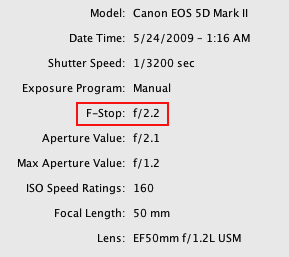
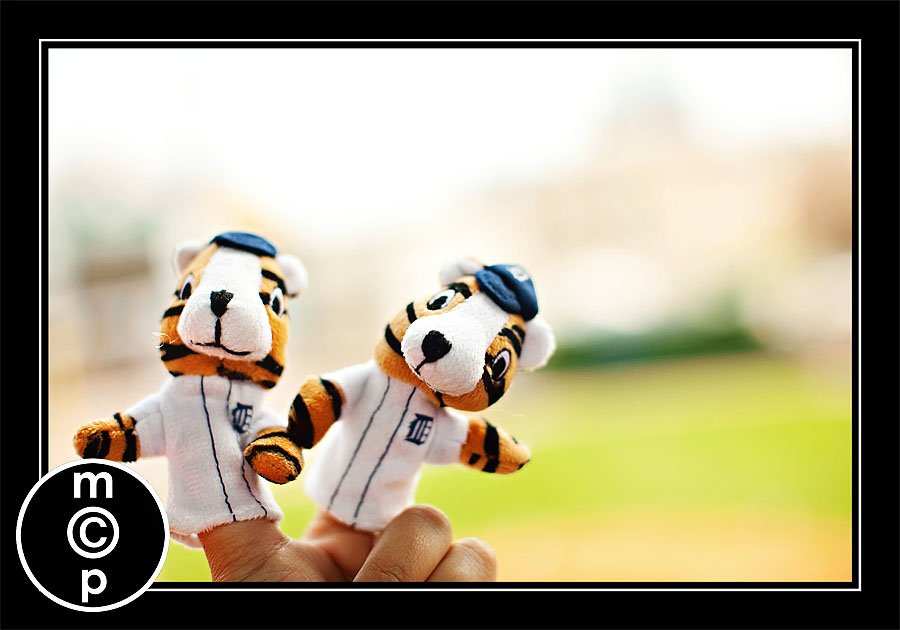
This 1st shot, I was at f 2.2. So very wide open. This was shot at my seats at a baseball game. My hand was extended by an arm’s length (very close – shallow DOF). And the background, stadium, was very far away. So given that I was so wide open, the background fell completely out of focus, to the point where it is unidentifiable.
Next shot:
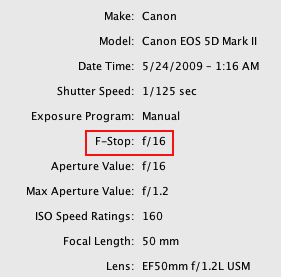
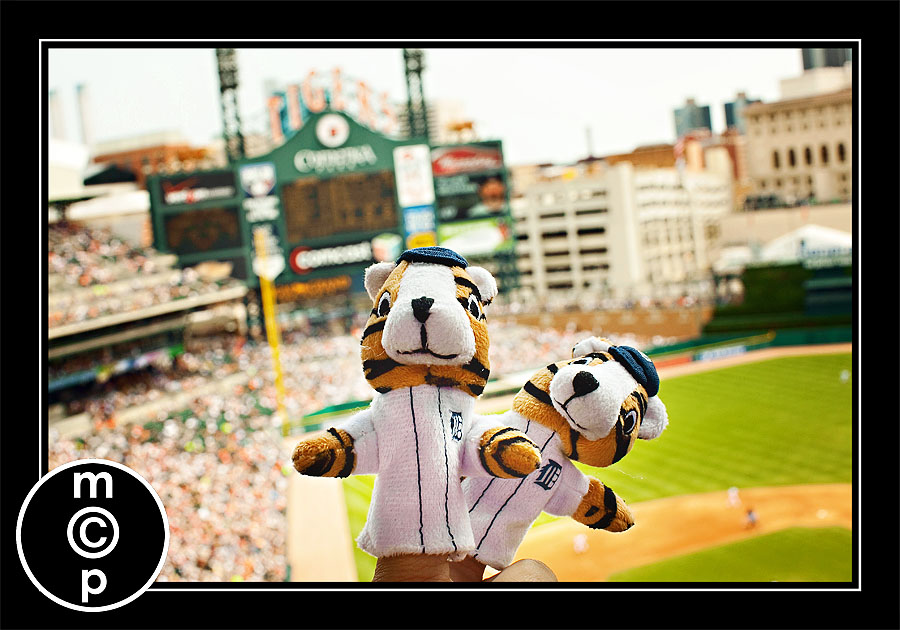
In this second shot, the set up was the same, but I was at f/16. Subject still close to me. Background was far away. So while you usually would have your subject and background very much in focus when shooting at f/16, here it is not. You can faintly make out that sign that says Tigers and Comerica Park. But why is it blurry in the background? Because of the distance. Focus was about a foot and a half from the camera. Simply put, there would be no way to get the puppets and background in focus in this spot. This is not a bad thing – but maybe this will better help you understand how to shoot for your goals.
If I turned and had one of my daughters behind the puppets, the puppets would be in focus at f/2.2 and the background (my girls) slightly out of focus – even if a foot behind the puppets. They would not have looked like the 1st shot though as there would not be enough distance. If I shot my twins directly behind the puppets, focused on the puppets, at f/16, the puppets and my girls would both be in focus (as the depth of field would be large).
Clicking yet?
ASSIGNMENT: The best way to learn is by practicing!!! Please submit links to your DOF photo plays – shooting a few of the same basic shot wide open and stopped down – in the comment section. I hope to see lots of practice and plays!!! After you post – if you have questions, feel free to ask them along with your tries.

No Comments
Leave a Comment
You must be logged in to post a comment.




















Recent Posts









Great post!
can i just say, i love those finger puppets. my hubby would love them as he too is a tigers fan!!! great post too. i love finding articles that explains things in a way a child can get them too. sometimes i have a hard time with technical mumbo jumbo, and getting it in easier terms helps a lot.. thanks again…!!!
I’ve been ‘getting it’ more and more but this really cleared, no pun intended, for me on the what’s in focus and what’s not!Thank you, thank you, thank you! Now I’m off to play with my camera!
Good explanation! I think the hardest thing for me was understanding the terms “Wide open”, “Stopped down” and whether a large aperture was f/2.2 or something like f/16. I think people have a tendency to think f/16 is larger when they’re first learning (or at least I did) because the number 16 is naturally larger than 2.2. The way I finally though of it was to take the number and keep it in a fraction so f/2.2 would be 1/2.2 and f/16 would be 1/16….now it’s easy to see that f2.2 is larger. Thanks for a great explanation!
Beautiful demonstration! I’m going to send this to a couple of my friends who are having trouble with DOF. It was a difficult concept for me at first, but once it clicked (no pun intended…heh), I had it.
THANK YOU!! This was by far the easiest way to explain it so people can understand!! Now, if you can just explain how you got both puppets in focus at F/2.2…did you focus on the one to the right since he is closer? Thank you again!
The easiest way I remember it is to think of flowers. Do I want to focus on just one flower? Or 16 flowers? If I want all those flowers to be in focus, I need my f/stop closer to 16. Just one, I need to stop down, close to one!
@Michael Fiechtner – thanks for that great fraction analogy!
Too much back and forth! I am tired though, so maybe thats why I’m not getting it (and it looks like I’m the only one who isn’t!). I actually hate all the terminology, and just like taking pictures! I get the effect I want without knowing the technical terms lol. Pampering Becki’s explanation is so simple and made more sense to me 🙂
Great explanation and I really appreciate the visuals. I’m not 100% yet with the depth of field for each f/stop but I think I’m beginning to get the gist of this. I always assumed that shooting at f/16 would get pretty much everything in my view in focus. Now, it’s clicking that, depending on where the main focal point is determines how far out the focus will extend, i.e. the puppets.I would have thought that at f/16 the puppets and the stadium would be in the same area of focus. Tossing your little girls in there and explaining that had they been one foot behind the puppets they would not have been in focus (I’d like to see that).I’ve been shooting at A-Dep on my 40d thinking that everything would be in focus and discovering that that is not necessarily the case, such as when shooting landscapes. I figured A-Dep was popular and came to find out that I’m the only one (or pert near) who uses it! What an epiphany!Thank you for this post! I have your blog on my reader and check it frequently. I’m not a portrait shooter but much of what you share here has been very useful to me.