
Featured Products
-
Sale!

-
Sale!

-
Sale!

-
Sale!

-
Sale!

-
Sale!

-
Sale!

-
Sale!


So I have had my “newest” mac for a few weeks now. And I am enjoying it for the most part. I am almost use to the keyboard and command versus control. Certain quirky stuff is still getting to me. I know it is “intuitive” but maybe not to me. Deleting stuff is harder. Yes – I understand the trash can. But if I am browsing – I cannot right click and delete… Stuff like that… Still strange. Installing programs and downloading stuff still do not quite feel right.
And my biggest headache is Adobe. They WILL NOT let me transfer my license and keep older Photoshop versions on my PC. Basically I want to move my CS4 license to Mac. And still be able to use and have PS CS3 and below for training and for testing actions. No go. They said I would need to destroy all. So I explained to them how many people I influence to use their products. They seemed uninterested. I asked could I convert all versions to Mac? They said NO. They do not have old versions – that they destroy them once a new one comes out. Really? Destroy? Hmmm – I find that hard to believe.
So it looks like I will need to shell out money to re-buy CS4 again. Buying the same thing 2x is NOT fun.
But what is fun is PhotoJoJo. Upon hearing of my Mac purchase, they sent me two super FUN things. One even could be quite helpful.
The 1st, a total Mac Novelty – a Mac OS frame. It is so cute (not real big for the price) but a great gift for the Mac/Photoshop fan who has everything. They will love this photo frame.
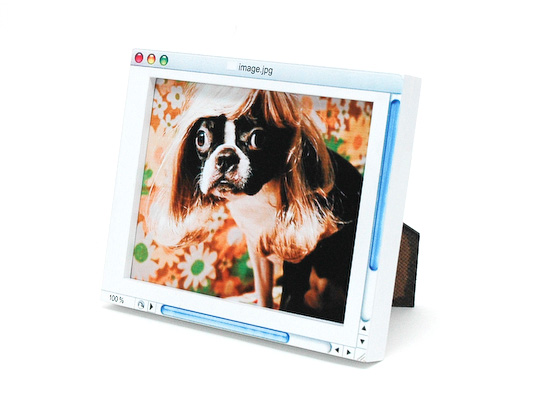
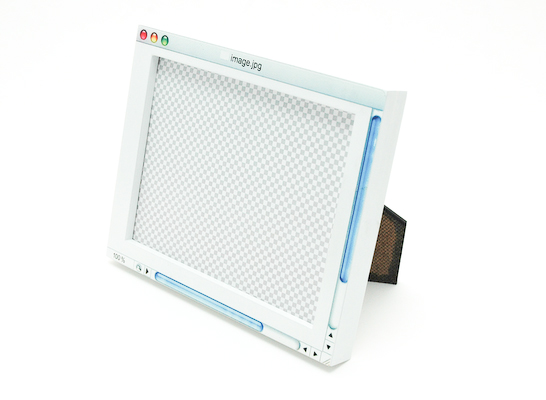
I need to find just the right picture for it. Then again that background is so cute with the new blank transparent layer – maybe I will just leave it empty.
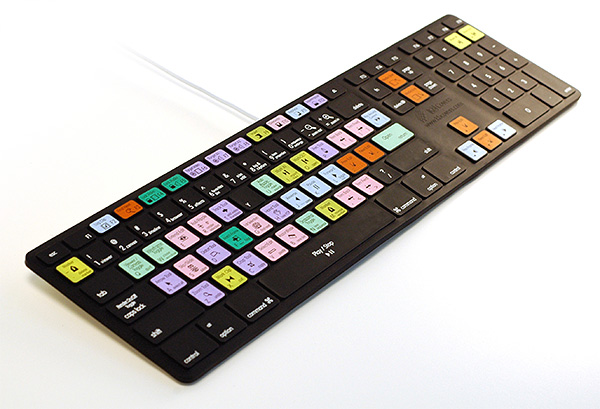
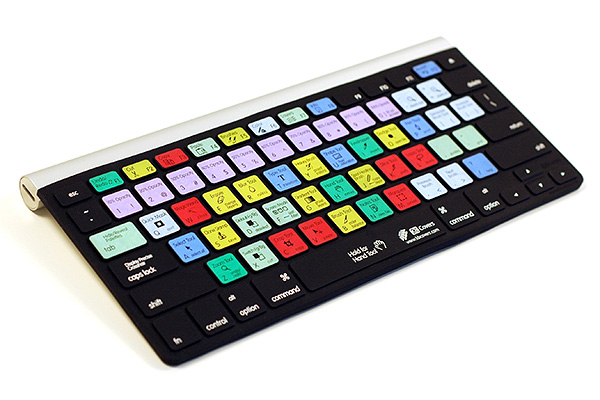
The next thing they sent was this keyboard cover with shortcut notes on every key. Very cool! I have mine on though I already know the shortcuts. You never know, maybe I will forget one. But also it kind of feels nice to the touch. For those of you fairly new to photoshop, this Photoshop “Skin” really could be a HUGE help to you. Definitely something to consider. They have them for some other products besides Photoshop too: Final Cut, Aperture, Pro Tools, After Effects… I which they had one for Lightroom. For some reason my brain cannot retain all the Photoshop ones and all the Lightroom shortcut keys too.
Thank you to Photojojo for showing me some cool “toys” that were not available for my PC. If you need to buy a gift for someone who loves photography, you must check out their store.

No Comments
Leave a Comment
You must be logged in to post a comment.




















Recent Posts









Command Delete!! One of my favorite shortcuts! Mac’s version of right-click… hold down the control key and click the mouse on the file. Then select move to trash. Hope this helps! :)Amy
You can adjust your settings to allow you to right click delete on the mighty mouse. System Preferences/Keyboard & Mouse/Secondary Button. You select “Secondary Button” as the setting for the right side of the mouse. HTH
OMG! I love the keyboard! I’m horrible about remembering all the shortcuts. I’m a new convert to Mac as well, so I feel your pain……hang in there!
I can right click and move to trash on my iMac. But I’m using a 2 button mouse with a scroll wheel.
what if we all banded together and told Adobe to quit being idiots? There is power in numbers and I would totally help you bombard them with requests 😉
I went through the same thing when I went Mac and wanted to transfer my CS2 license to my Mac. They said the same thing – they destroy older copies when a newer version comes out. Yeah, right! I had no desire to upgrade to CS3 when I was still learning to use CS2 LOL! I was forced to learn :-). Anyway, would it be cheaper to find Mac version of CS3 (provided you can find one) rather than shell out for Mac CS4? There has to be someone who has old copies in their inventory left over after CS4 came out…..I love the keyboard cover – gonna have to check that one out. I’d also like to see one for Lightroom, since I’m just now learning it. Maybe they will hear our prayer ;-D.
Get a program called AppCleaner. It’s free and fully deletes all vestiges of a program much like the Add/Remove Programs on a PC. Also, you can right click to delete on a Mac– just set up your mouse to do “Secondary Clicking” under the System Prefs.
Thanks for the ideas everyone! Tina – where do I get app cleaner? I can google it just want to make sure it is the right thing…I have secondary clicking set up – that was something I asked even before buying. I also have a logitech mouse instead of might mouse now. I needed more shape.Tracy – thank you for your support. Doubt customer service would care though…
here: http://www.freemacsoft.net/AppCleaner/or, here: http://www.apple.com/downloads/macosx/system_disk_utilities/appcleaner.html
Interesting. I have had my mac for a couple of months now and I LOVE it! I like the idea of the keyboard with all the shortcuts on it. I can never remember them all:) Thanks for the suggestions!
Just wanted to make sure you didn’t overlook that you can right click with a Mac. The included “Mighty Mouse” on the Mac Pro doesn’t appear to have buttons, but it is a multi-button mouse that senses your fingers via touch. You do have to enable this in your System Preferences / Mouse & Keyboard. After you have it turned on, you can browse your files (such as in the Finder) and when you right-click, “Move Item to Trash” is one of the items in the contextual list. I hope this helps! Sorry you were unable to transfer your license(s).
curious to know how Adobe “knows” if you destroyed your PC copies. Sounds ridiculous to me. Make a back up copy and reinstall?
Love that keyboard mapping. I had the same problem with Adobe when I switched from Windows to Mac. Luckily I had not already purchased CS4. If you know of anyone with ability to purchase from a school (teacher/student), it’s considerably cheaper (mucho cheaper).
Well now I want BOTH! Great. {sigh} 😉
I want a Frame =(Where could I get one? =p (it’s serious)