
Featured Products
-
Sale!

-
Sale!

-
Sale!

-
Sale!

-
Sale!

-
Sale!

-
Sale!

-
Sale!


Photography tricks are fun!
Are you in a photography rut? Are you looking for fun new things to try for Children’s portraiture or even for snaps of your kids? Well this trick that I first saw on a site called PhotoJoJo should get you having some fun.
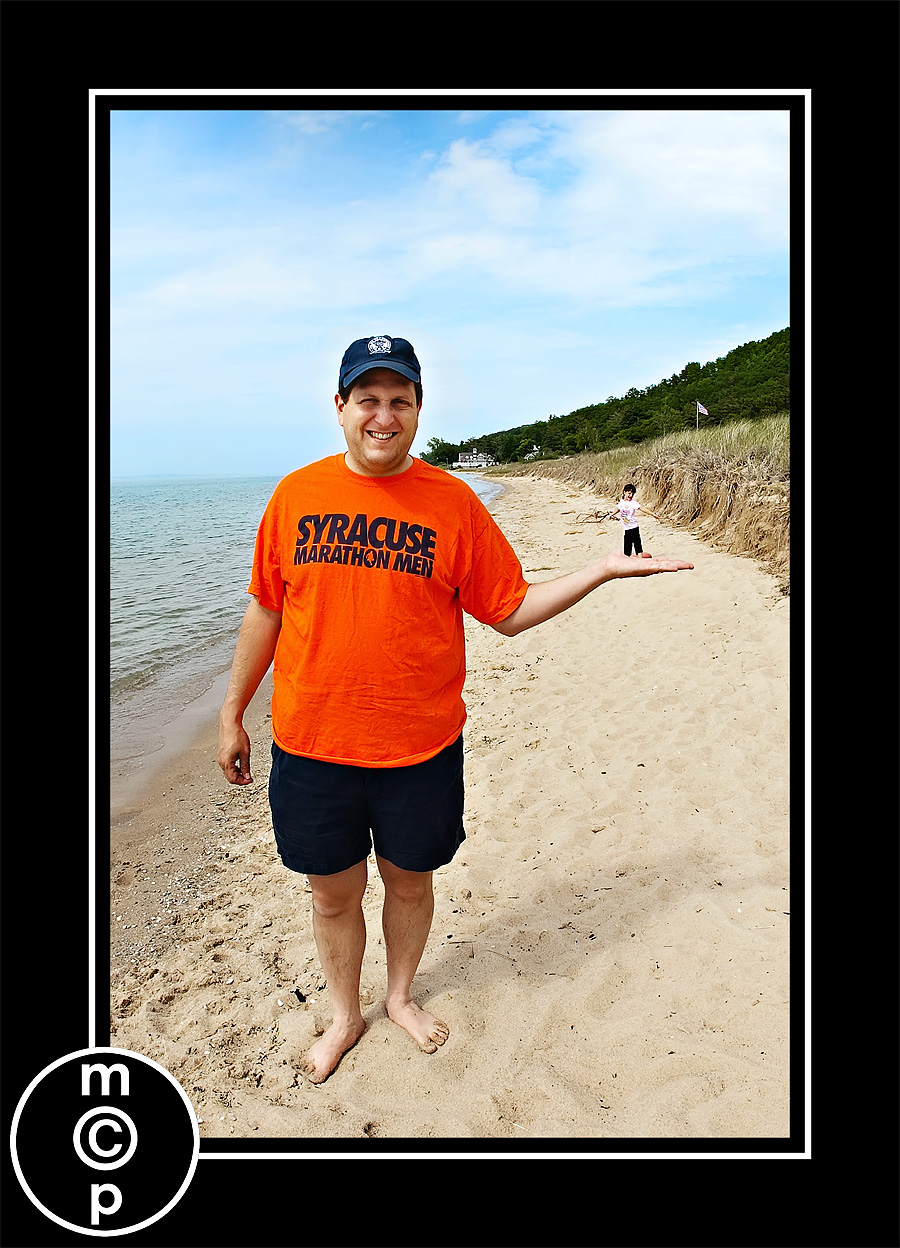
It is a trick in perspective and optical illusions. The idea is that one child or person is holding another in the palm of their hand, almost like a figurine. When I was in San Diego, I decided to give it a whirl on the beach. And then we did it again in my back yard. You can likely try this other places too – you just need a lot of space. So think Beach, Park, the Outdoors.
What you do: Have one child or adult in the foreground and have them hold their hand out to their side, relatively flat. Then have the other person get way back. Position the second child so that they are just above the hand, almost touching. These are not perfect shots – just quick snapshots (so ignore the fact that they are not color corrected and the lighting is not perfect please). You do not want to shoot wide open on this either (hence why my 1st attempt is not as good since my daughter in back fell out of focus). My girls did love seeing these in print. And this is something you can achieve with an SLR or even just a Point and Shoot camera.
Of note: If you take these off your camera and realize that the figurine sized subject is a tad too high, you can lasso them, and use the CTRL (CMD) key + “T” to transform them slightly. Do this on a duplicate later. Then if needed you can blend the edges by adding a layer mask. Have fun playing! If you try one, please come post a link in the comments so everyone can see!
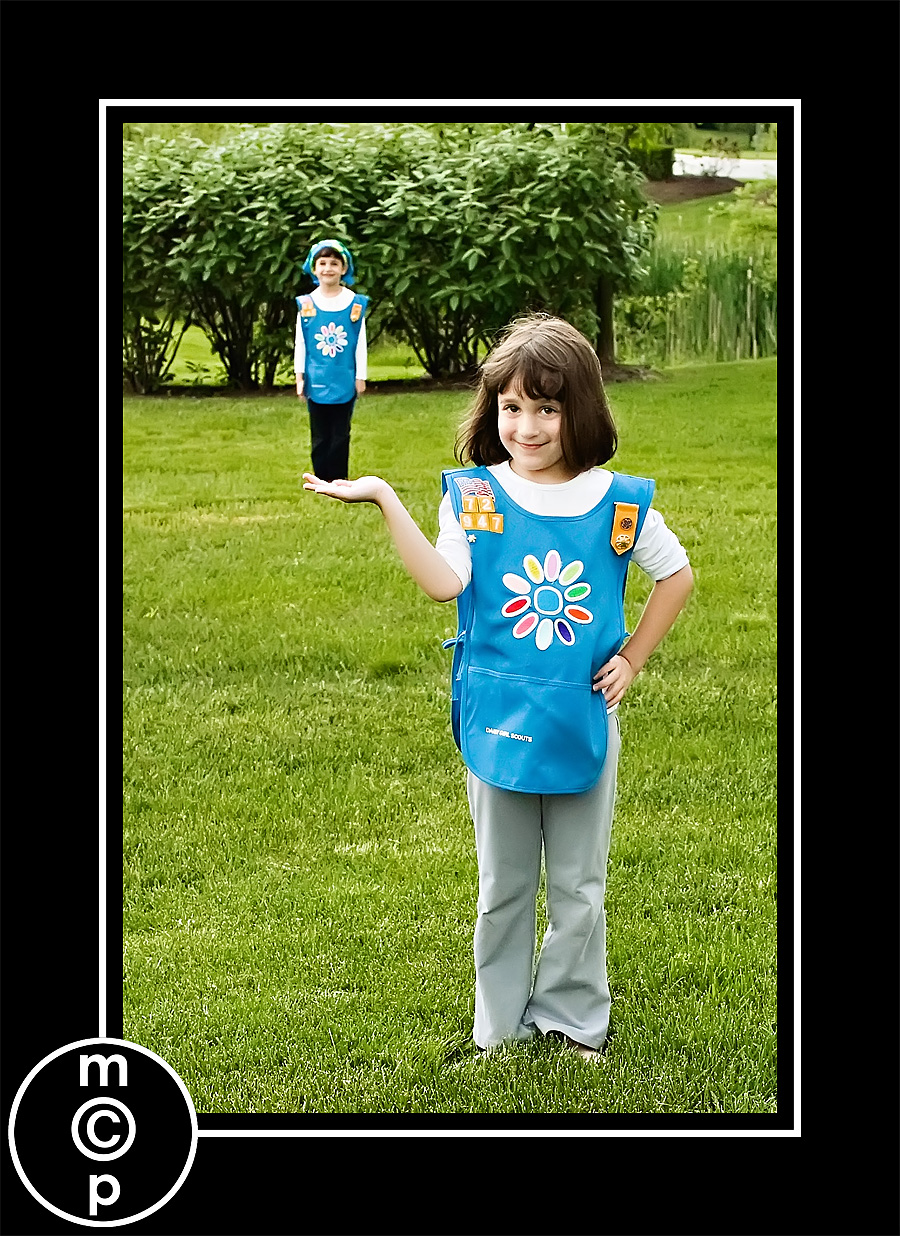

I actually liked this one best. Since Jenna got back really far, she looked even smaller and almost more believable as a toy or figurine.

No Comments
Leave a Comment
You must be logged in to post a comment.




















Recent Posts









Super fun idea – I think I’ll try it with my kids this evening!!! 🙂
That is hilarious! My kids would definitely get a kick out of that. I’ll have to give it a try!
Funny! 🙂
That is hilarious! My boys would get a huge kick out of trying that. I think we will…
gotta try it!
LOVE THIS! My three year old grandson would LOVE to hold his big brother in his hand! I’m going to shoot this just to see the expression on his little face!!!!
I did one!!! here is the entire blog posting! :)http://melissapapajphotography.blogspot.com/2009/05/jordan-and-emily-salt-lake-temple-utah.html
Melissa – LOVE that – way to cute!!!!
Love it – I have been wanting to try this but haven’t yet – thanks for reminding me
I luv this…I am going to give it a try
I like the second one best, but you need the shadow on her hand in the sand! I have been doing something similar with wedding parties lately, my fav has the groom “picking up” the best man, with the rest of the wedding party reaching for him – the wedding party being all tiny. 🙂
This is always fun to do, especially with the kids. I find it hard though to get the “figurine” shadow on the ground if the subject is in bright sunlight like at the beach.