
Featured Products
-
Sale!

-
Sale!

-
Sale!

-
Sale!

-
Sale!

-
Sale!

-
Sale!

-
Sale!


To all those who celebrate Hanukkah, Happy Holidays! Today, Sarah Ra’anan , a portrait photographer in Israel, is teaching you how to capture beautiful candle light from a menorah as well as other candle light.
I absolutely love photographing our Hanukkah candles, and over the years I have experimented with different methods. Here are some simple tips that will instantly improve the look of your images:
1. Fill the frame
I talk about this a lot in my workshops and I cannot stress enough how important it is to your images. Get up close to your subject, in this case the candle or candles, even if it mean cropping off some of the Hanukkah, it doesn’t matter. Some of the most visually pleasing images have been tightly cropped to fill the frame.
2. The first light
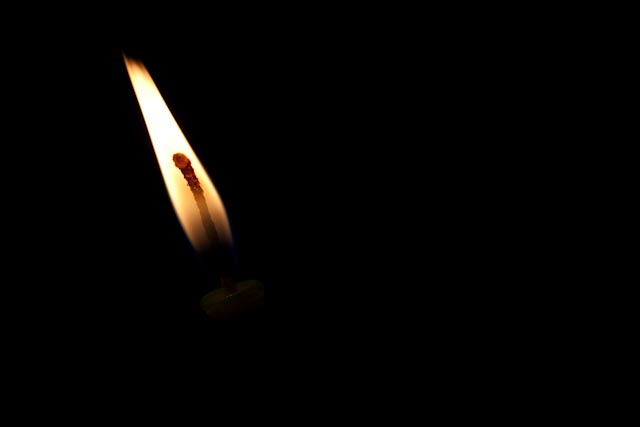
3. Capture the glow
The best way to photograph the candles is with as little external light as possible. We want to capture the glow from the candles themselves, not from your kitchen light-bulb or your flash! You are looking to portray the warm fuzzy atmosphere that the Hanukkah lights give off, and you cant get that with interference of other light sources. If you’re not sure how to turn your flash off, consult your manual, but most cameras have an option with a picture of a lightening bolt with a line through it. Photographing without a flash is a bit more complicated than this, something I will delve into another time, but see how it works for you without flash and experiment with your different settings e.g., night time, fireworks mode etc.
4. Capture the flame
This can be tricky to manipulate on a point and shoot but by no means impossible. In order to properly capture the flame without overexposing your image, you will need to play around with your ‘wheel’ on your camera and see what all the different settings give you. See which one gives you the most pleasing effect and really shows the vibrant colors of the flame.
5. Warm it up!
What better time to tweak your White Balance settings than Hanukkah!? You want your candle images to have a warm cozy feeling, so try setting your camera’s WB setting to ‘cloudy’.
6. Angles
Try approaching your images from a different angle than usual – get up high, get down low, photograph from the sides, tilt the camera a little. All good fun, and you will be so surprised by the difference it can make to your images.

No Comments
Leave a Comment
You must be logged in to post a comment.




















Recent Posts









Great post. I love shooting my Hanukkah Candles and make sure I take one each night. I love the tip on the WB. I will try that tonight.
Very cool. I’d love to see more of her images!
Just to clarify, where it says “cropping off some of the Hanukkah” it should read “cropping off some of the Hanukiah/Menorah”!Enjoy!Sarah
Great tips. Would love to see some pics taken of Hanukkah candles.
she has not had a chance to unpack so she does not have her photos from last year. Maybe I can get her to share after this year (for next)
Sounds great. Thanks for all you do. Love all the great tips and info you share. I hope you have a wonderful 2010.
While turning off all other lights can give you some beautiful photos of the flames, leaving the lights on can help you capture some of the other beautiful things about Chanukah — the menorah, the dreidels, the happy children. I suggest trying things both ways.