
Featured Products
-
Sale!

-
Sale!

-
Sale!

-
Sale!

-
Sale!

-
Sale!

-
Sale!

-
Sale!


Thank you to Julie McCullough for these great tips on taking snapshots of kids in front of the light of the Christmas Tree this holiday season.
Tips for Photographing Christmas Lights
To me the beauty of the Christmas Tree shines through in pictures when the tree’s lights are on and that requires some dim or dark conditions. You can still take a picture in those darker conditions and still have the people well exposed.
Here are a few tips to obtain a balance between seeing the tree, the lights, and the people:
- Set your ISO high – 1600 or higher
- Close your aperture (f/14 or higher) for a starburst effect
- Slow down your shutter speed
- Use a tripod or set your camera on something safe and steady
- Turn on ambient lights in the rooms surrounding the tree but turn off lights in that room
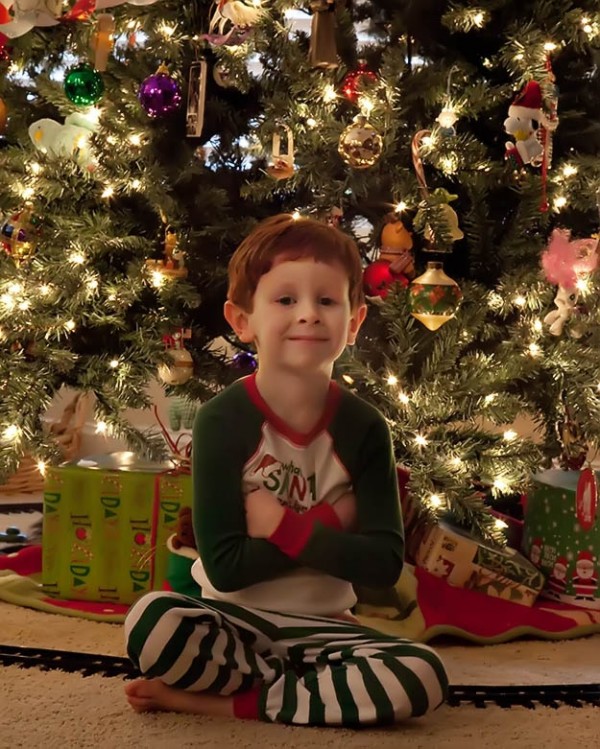
ISO6400, f/13.0, 1/10, tripod and PP – adjusted white balance, ran Noiseware, and sharpened for web.
Jodi’s photoshop tips: If you want more light on your subject in post processing, try MCP’s Free Photoshop Action Touch of Light – It was not used in these, but could have added a little more light to the subject. Also play with opacities of Noiseware. Everyone has different amounts they prefer. I may have allowed extra grain to show and not used quite this much noise reduction.
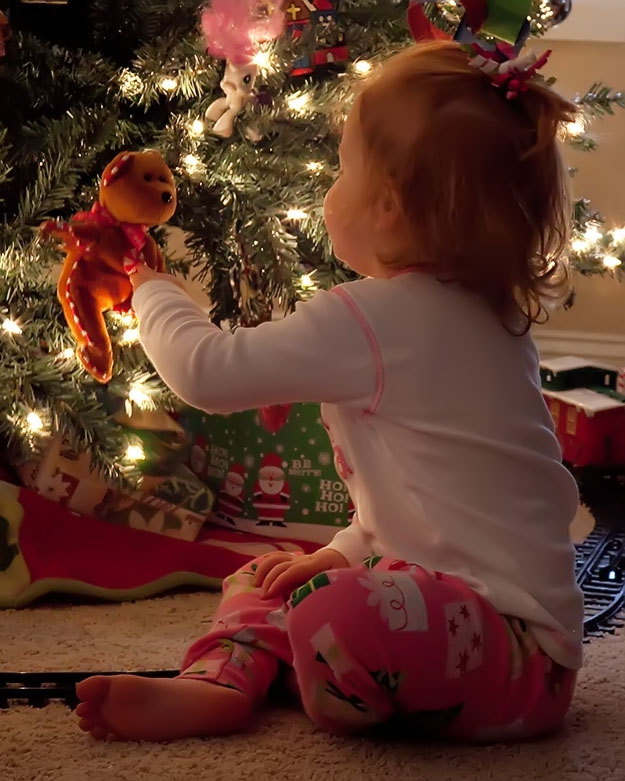
ISO6400, f/10, 1/15, tripod and PP – adjusted white balance, ran Noiseware and sharpened for web.
A few other creative things you can do:
You can tape a thin string on the front of your lens; I used 3 pieces of kite string to enhance the starburst on the lights. If you use a string too think they will show as fuzzy patches on the picture.
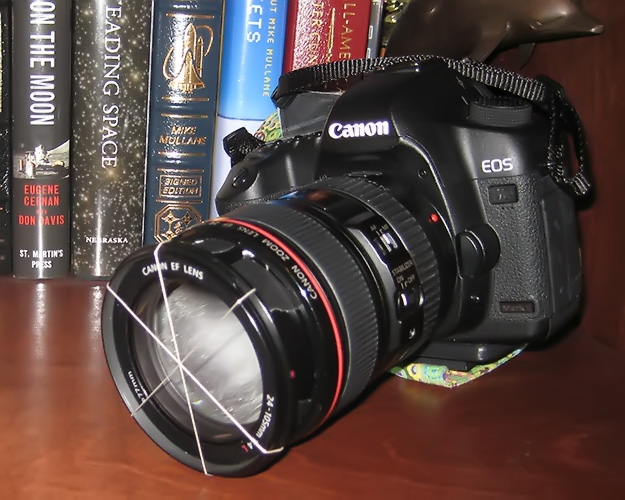
With Strings: f/16.0, 1/5, ISO 3200
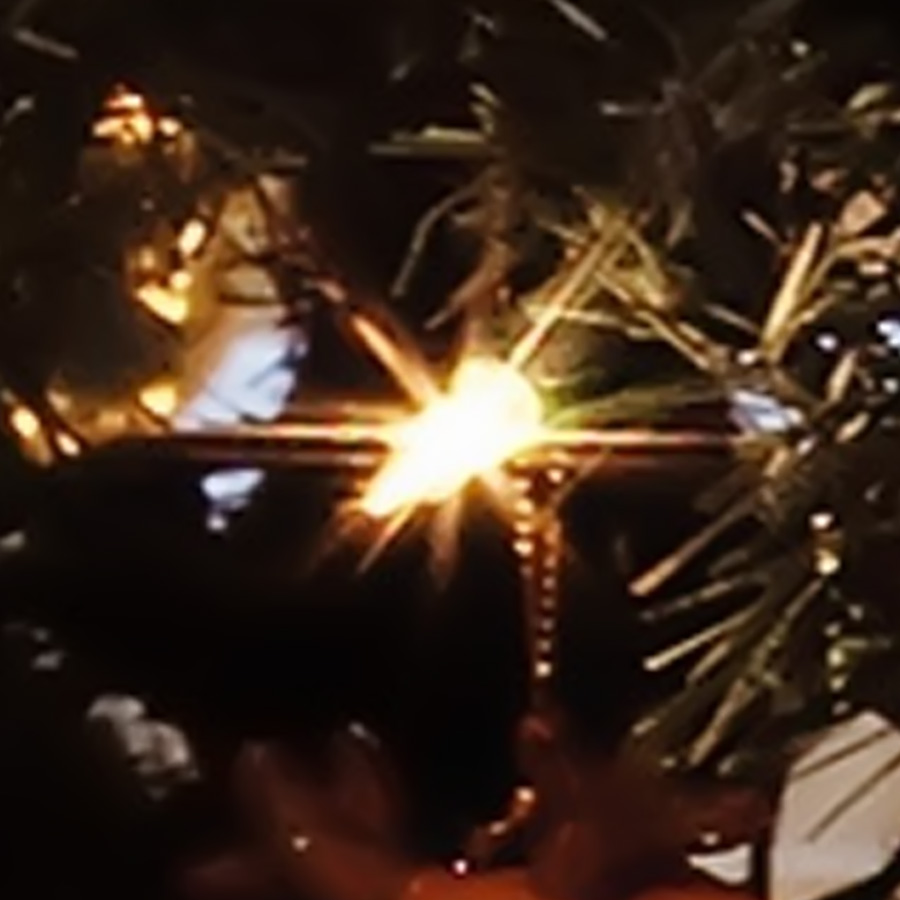
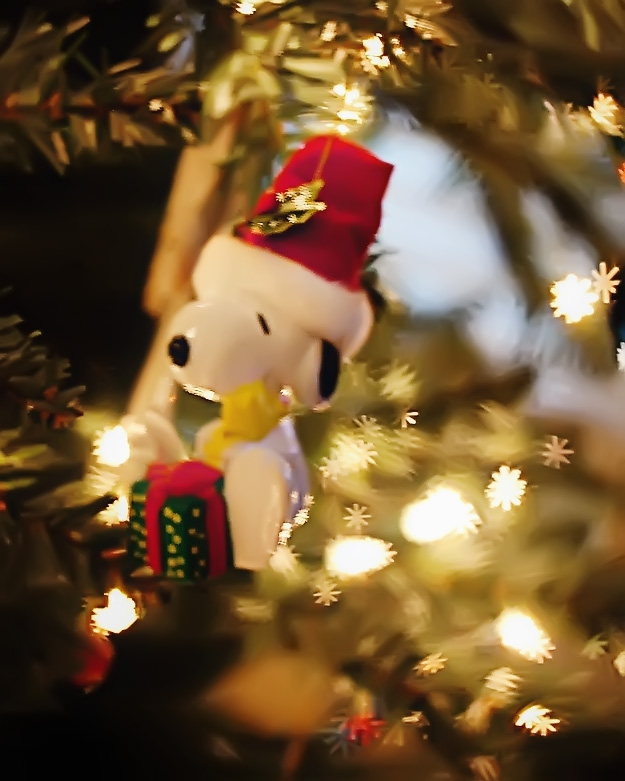
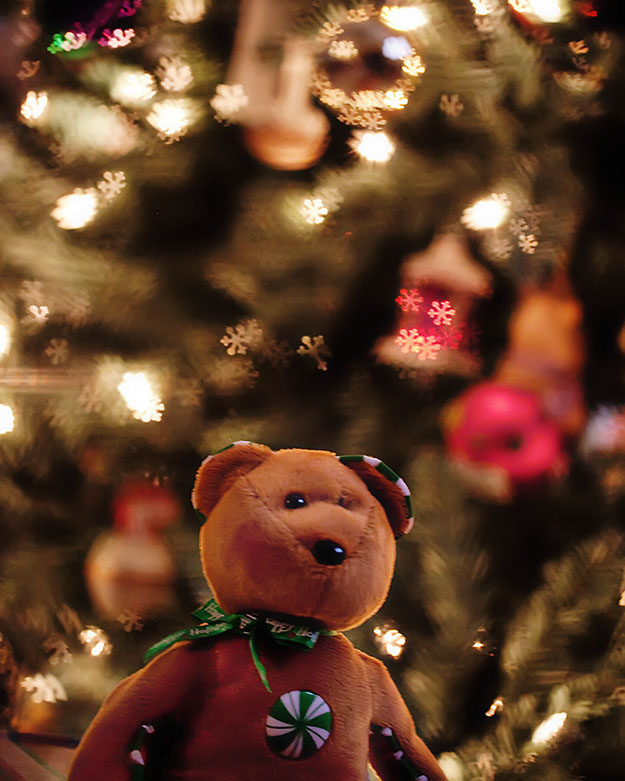
Another fun thing you can do is take a black piece of paper the size of your lens and place a shape in the center. This is a common Bokeh effect, and the lights will/should be in the shape of the shape you placed on the paper. I found the key to this technique was using a wide open aperture (I used f/2.8 on both of these images) and focusing on the subject with the lights in the background.
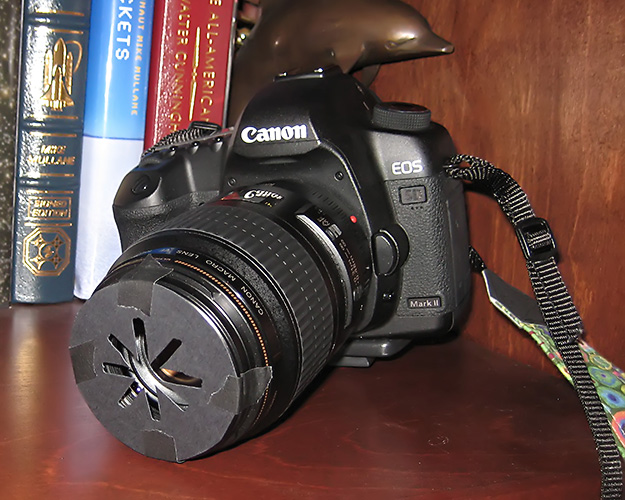
This one I used a Star Shape and a Macro 100mm lens.
This one I used a Star Shape and a Macro 100mm lens.

No Comments
Leave a Comment
You must be logged in to post a comment.




















Recent Posts









will be using these tips tonight!
Thanks so much for posting this! I was inspired to take a photo of my son by the Christmas tree tonight. I just posted the shot on my blog. Merry Christmas!!!!