
Featured Products
-
Sale!

-
Sale!

-
Sale!

-
Sale!

-
Sale!

-
Sale!

-
Sale!

-
Sale!


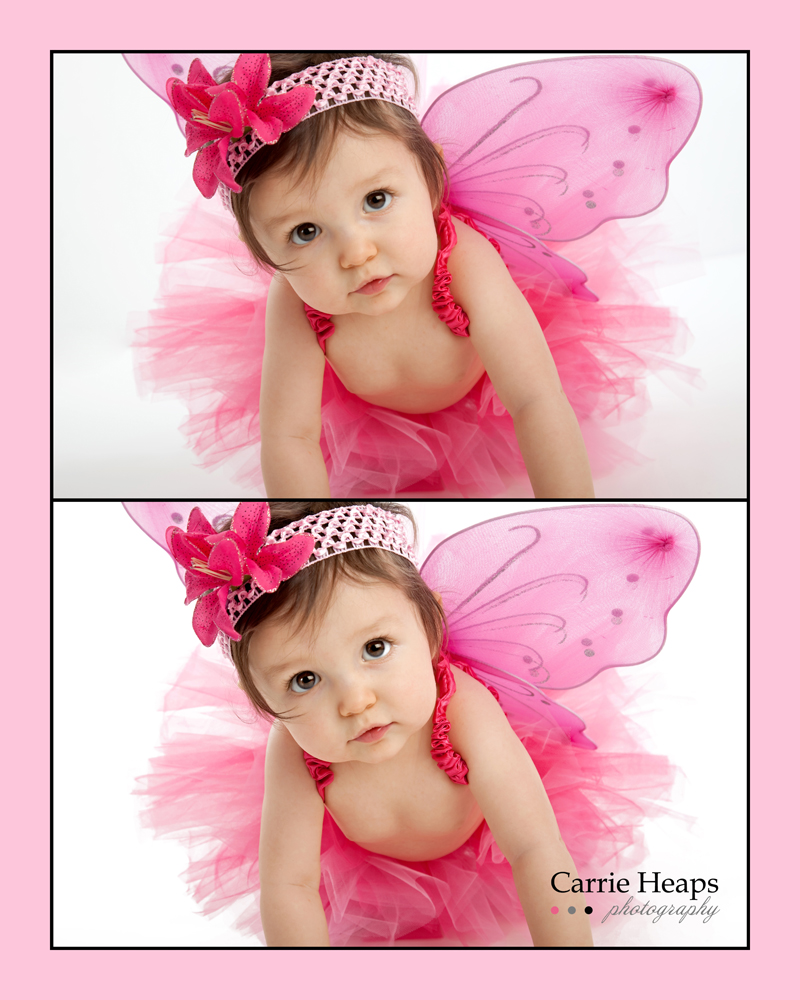
Thank you for this adorable Valentine themed before and after Blueprint from Carrie Heaps Photography.
Details on the edit and which MCP Photoshop actions were used (straight out of camera shown 1st, then the final image 2nd):
- Started by adjusting the gamma and contrast manually.
- Ran MCP Studio White Bright Spell from the Bag of Tricks action set. I love this action because it doesn’t distort the necessary shadow on the floor in front of the baby. I can even adjust how white, white I want the backdrop to be. It still amazes me how this doesn’t grab part of the costume and make it look edited. Even blown up, I can not see any separation lines. WOW! Luv it!
- Ran MCP Eye Doctor action.
- Ran MCP Magic Light from the Bag of Tricks action set – and used it on her shaded eye.
- Ran the FREE MCP High Definition Sharpening.
- Use the MCP Magic Blog It Board to show the before and after.
Done! Simple Perfection! That was it – super quick and easy. The edit is very subtle, which was what I was going for. Just clean, sharp images that speak for themselves.


No Comments
Leave a Comment
You must be logged in to post a comment.




















Recent Posts









Nice job, Caroline! Thanks for sharing that with us.
Very nice result. Would appreciate a tutorial on “flattening” layers for us newbies. Thanks!
Love it! I can’t wait to purchase these actions!
You can not believe how long ive been searching for something like this. Through 10 pages of Yahoo results and couldnt find anything. First page of bing. There this is…. Gotta start using that more often
An execllent posting with valid points, I’ve been a lurker right here for quite a while but hope to be a lot more included in the future.