
Featured Products
-
Sale!

-
Sale!

-
Sale!

-
Sale!

-
Sale!

-
Sale!

-
Sale!

-
Sale!


Check out this amazing before and after Blueprint by Andee Tate of Crave Photography. Her work is just beautiful and inspiring!
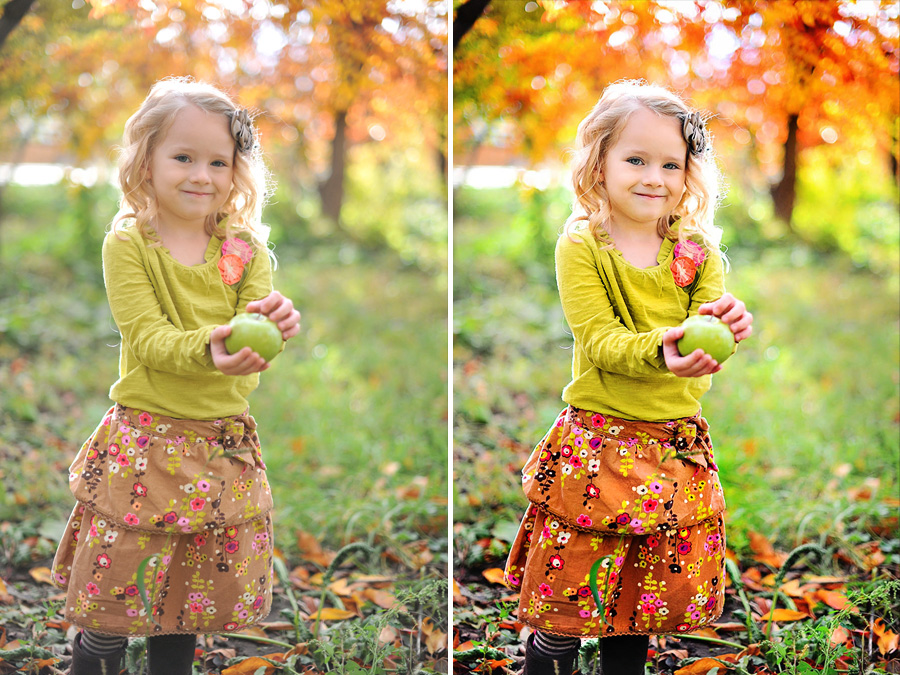
She edited this photo using the following mix of Photoshop actions:
- All in the Details – Details {Extreme Color} – color brushed on at 70% opacity
- Magic Skin: Used the Powder Your Nose action and brushed on at 40% opacity
- Eye Doctor: Used the enhanced catch-lights and sharp as a tack layers to add light in the eyes and sharpen them
- Bag of Tricks: Used the Magic Dark action to non-destructively burn parts of the photo using a 30% opacity brush

No Comments
Leave a Comment
You must be logged in to post a comment.




















Recent Posts









Jodi,I have the All in the Details actions. Andee’s instructions said that she “brushed it on” at 70%. I understand the concept of masking something back like skin for instance but how do you brush an action on to the photo? Can you explain how this is done? Thanks.
Same thing – just as you described. You run the action and then mask using a paint brush – either masking on or off.
wow! excellent work! thanks a lot for sharing this nice post 🙂