
Featured Products
-
Sale!

-
Sale!

-
Sale!

-
Sale!

-
Sale!

-
Sale!

-
Sale!

-
Sale!


Hobbyist Photographers Can Edit in Photoshop Elements Too!
Most often when customers submit images to us, for use on our blog, showing before and after photo editing, they have two things in common:
- They are by professional photographers
- They are edited in Photoshop CS2-CS5
In the past year and a half, we have converted many, but not all, of our popular actions to work in Photoshop Elements. We also have more hobbyist photographers as customers than ever. We want to start showing off more of their beautiful work too. Just because you don’t get paid to take pictures doesn’t mean you are not an amazing photographer!
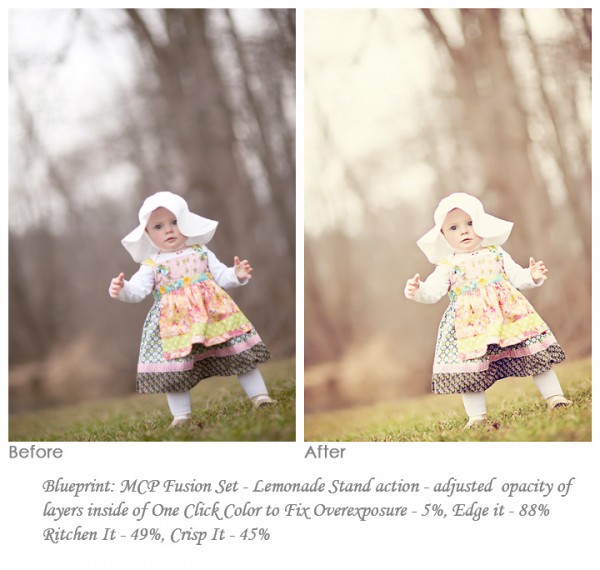
The image below was submitted by Danyelle Ritchie. She used the Fusion Photoshop action set for PSE (Elements 8). Her Blueprint was using only one action from MCP’s Fusion set called Lemonade Stand. She tweaked the adjustable layers to the following: Fix Overexposure to 5%, Edge It to 88%, Ritchen It to 49% and Crisp It to 45%.

No Comments
Leave a Comment
You must be logged in to post a comment.




















Recent Posts









Can any of these be used in Lightroom?
Where is the Display Button in Elements 11? I Just uploaded and cannot locate it anywhere.