
Featured Products
-
Sale!

-
Sale!

-
Sale!

-
Sale!

-
Sale!

-
Sale!

-
Sale!

-
Sale!


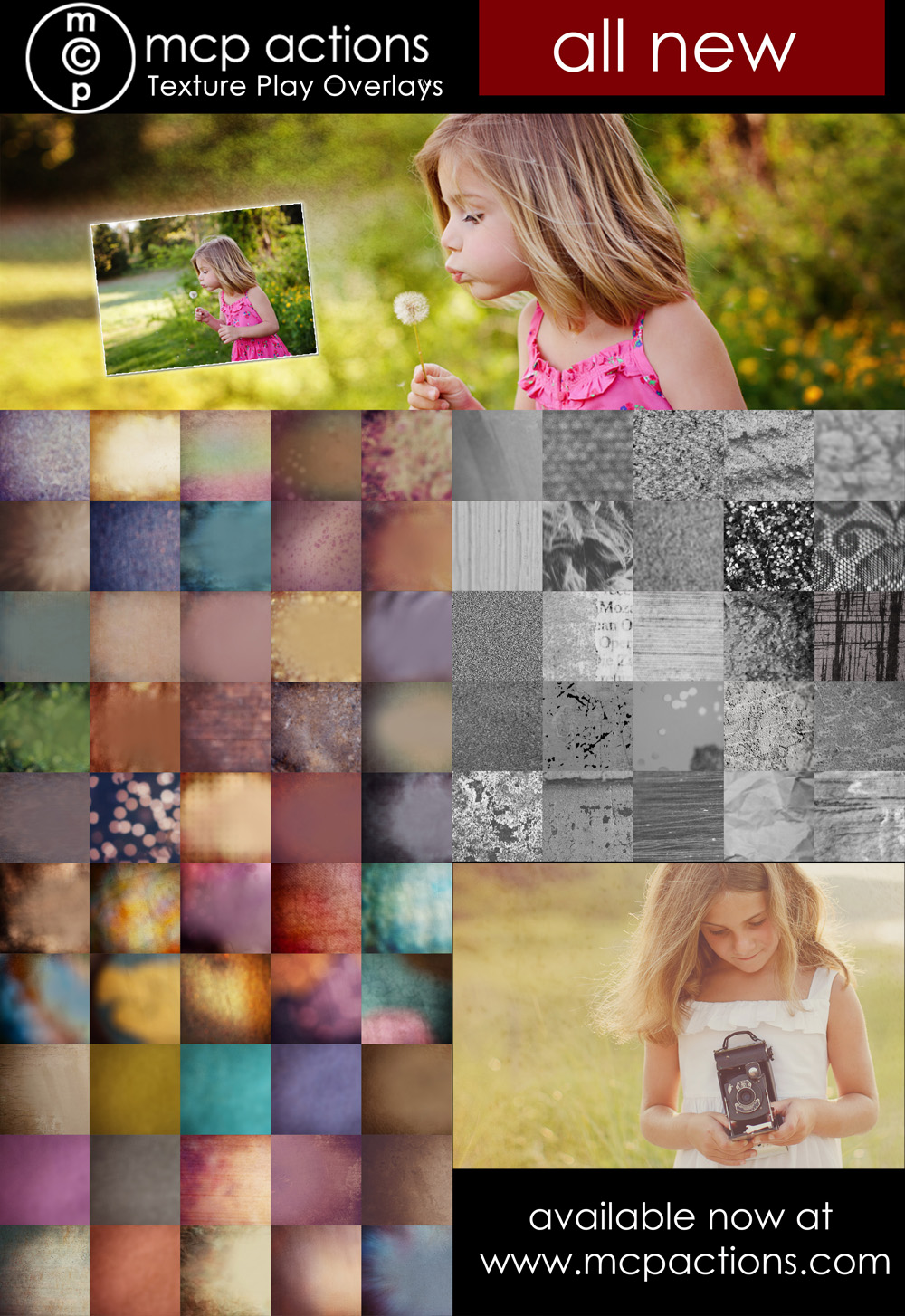
MCP’S FIRST-EVER TEXTURE SET!
Ready to take your images to the next level? Want to redefine your personal style? Just looking for a little fun and inspiration?
MCP’s all-new Texture Play Overlays will help you tone, pop, and texturize your images in Photoshop or Elements. These aren’t your average textures—we’ve created 50 rich, colorful, high-definition overlays and 25 “toppers” to add an extra layer of drama.
You’ll get:
- 50 handcrafted, high-resolution textures
- 25 Texture Toppers to add depth without altering the tones of your image
How to Use Textures: A PDF tutorial – learn to get the best results from textures and overlays, change their effects, customize their tones, and combine them with your favorite actions to suit your personal style.

Here’s a quick video glimpse:
[embedplusvideo height=”337″ width=”600″ standard=”http://www.youtube.com/v/qMuG8zPyY3E?fs=1″ vars=”ytid=qMuG8zPyY3E&width=600&height=337&start=&stop=&rs=w&hd=0&autoplay=0&react=0&chapters=&notes=” id=”ep4656″ /]
Ready to rock these textures? Download our FREE Texture Applicator Plus! The updated version of our popular Texture Applicator now includes TWO actions:
- MCP’s Texture Applicator action to make the process a snap
- MCP’s Color Changer action for endless customization options!
Check out the product page HERE and let our Texture Play Overlays help you take your images to the next level!
Posted in Free Photoshop Actions, MCP Actions Projects

No Comments
Leave a Comment
You must be logged in to post a comment.




















Recent Posts









It says the video is private. Help?
try now 🙂
Awesome AmaZing EXcited :)Can’t wait to play
Thank you for the samples! Next snowy day I know what I’ll be playing with!
Used this for the first time today. Very easy with the Texture Applicator Plus! Thank you so much!
I am a beginner with LR and Photoshop CC. I just downloaded the snowflake brush. I don’t know where to begin. Is there a tutorial for this? Also today I purchased the MCP Inspire package and would love a tutorial for that also.
Not a specific brush tutorial for this but it works like any brush – you select the brush tool and select this brush and click on your image where you want it. The paid actions have videos at the bottom of each product page. Visit the inspire page and look for the video tab.