View the Photoshop Action Photostream Become a Fan of MCP Actions on Facebook Follow MCP Actions on Twitter Join MCP Actions on Linkedin Subscribe to the MCP Actions Tutorials via email

Archive for the ‘Activities’ Category

Photoshop Alone Does Not Make a Good Photographer

September 1st, 2010
6 Comments

Thought of the Day: Photoshop Alone Does Not Make a Good Photographer

I consider myself a professional when it comes to Photoshop.  I teach Photoshop and develop products that work inside Photoshop.  And yes, occasionally I use Photoshop to fix a problem on a less that perfect photo. Photoshop is a powerful tool for photographers.  But your camera paired with experience are way more important in getting the best results.

By learning to use your camera and your surroundings to their fullest, you can control light, get great composition and have better color in your photos. This is the #1 best way to spend less time in post-processing.  If you find you spend 30 minutes, instead of 3, editing each image, you probably need to figure out why.  It could be lack of Photoshop knowledge, in which case an online Photoshop training class might be in order.  But if you see your exposure is off, colors look bad, objects are growing out of people’s heads, backgrounds are cluttered, etc – you may want to revisit your camera and work on your skills in that department. And even if you feel you have mastered your skills, it cannot hurt to get back to basics every once in a while.

Answer these questions of yourself:

Using just your camera, or other equipment, not in post processing, can you:

  • Get subjects to pop and backgrounds to fall out of focus?
  • Identify what times of day to shoot and where to find better light?
  • Achieve exciting compositions?
  • Getting your subject(s) in flattering poses?
  • Avoid distracting backgrounds, clutter, and objects that may hit the subject(s) in an odd way?

Sometimes, in an attempt not to rely on Photoshop and other post-processing tools so much, I recommend photographers go out and shooting just for the practice getting the shot and experience.  Take your camera outside without any expectations of coming home and having any use-able photos.  Just practice.  Work on nailing exposure.  Work on setting a custom white balance. Work solely one day on getting better compositions. Work on your creativity.  This is also a great exercise for getting out of a rut!

All the photography forums, photo related books, and photography and Photoshop training in the world will not make you a better photographer if you do not get out and take pictures, make mistakes and then learn from those mistakes so you are more experienced the next time.

Share this post:
  • Facebook
  • Twitter
  • Add to favorites
  • Digg
  • StumbleUpon
  • del.icio.us
  • Technorati
  • LinkedIn
  • Google Bookmarks

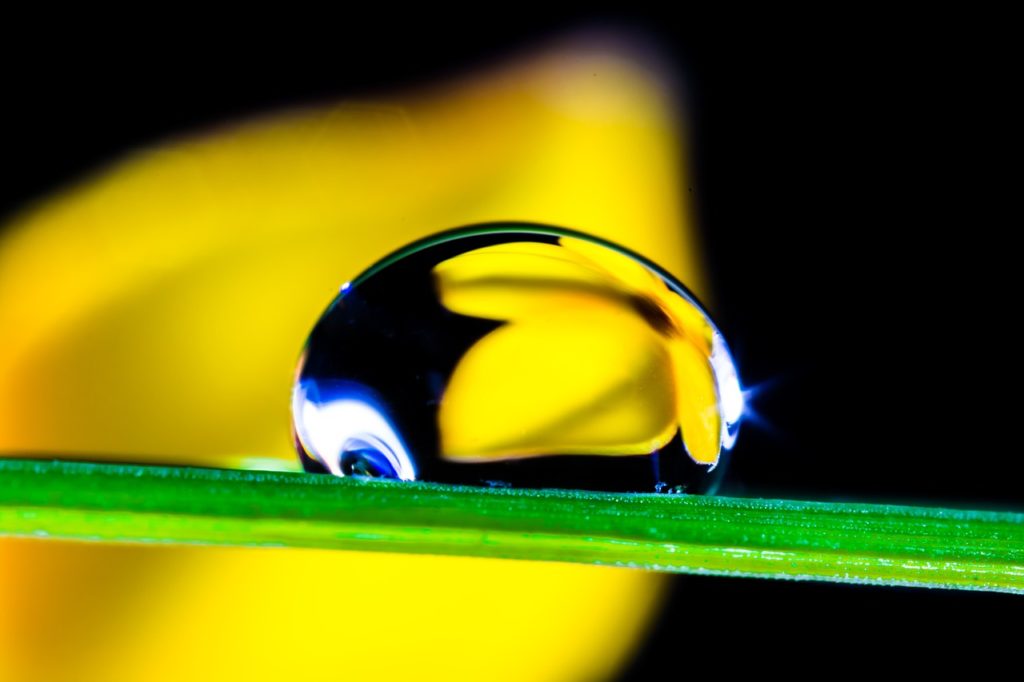
macro tulip flower

Summer is a fun time to try something new.  Challenge yourself to go out and find those ever-abundant flowers or other wonders of nature. Get close!  From flowers to bees to bark, there is so much out there with incredible detail.  Now is the time to play with macro photography and grab the chance while you can.  Below are some articles that have previously appeared here on the MCP Actions Blog that should help achieve some great macro shots.  Have fun!

Macro Photography on a Budget

Intro to Macro Photography – how to get incredible close-up shots this summer

Flower and Bee Close Ups with Non-Macro Lenses

Adding Texture to Macro Photographs

I would love to see everyone share your favorite macro shots here.  Just upload a 600px wide photo into the comment section of this post.  If you want to share some tips, tricks, or details on how you captured your macro shot, that would be fantastic! Here are a few of mine.

beautiful macro flower

macro pine cone

pink macro flower

macro shot of leaf

Share this post:
  • Facebook
  • Twitter
  • Add to favorites
  • Digg
  • StumbleUpon
  • del.icio.us
  • Technorati
  • LinkedIn
  • Google Bookmarks

What does MCP Actions mean to you? This is your chance to use your creativity, photographic skills, and thinking cap to win Photoshop CS5 Extended ($999 value) or a $50 or $100 Gift Certificate for Photoshop actions from MCP. These are two independent contests running at the same time. Enter one or both. To qualify for either prize you must join or be a member of my Facebook Fan Page.

Contest 1:

Enter to Win a $50 or $100 Gift Certificate to MCP Actions Store:

  1. For one entry, comment on this blog post and let me know what you would buy if you won one of the gift certificates.
  2. For a second entry on this contest, use the “Suggest to Friends” link on my Facebook Page and recommend MCP to at least 5 photographer friends. In addition, I would love you to post a link to my Facebook Fan Page and my website on your own wall or blog. Once complete, come back here and leave a comment saying, “I am a member of your fan page and recommended you to my photographer friends.”

Contest 2:

Enter to Win Photoshop CS5 Extended:

  1. Photograph and edit an image that conveys what MCP Actions means to you. You can express what you love about my workshops, actions, blog, etc.
  2. Use the name “MCP” creatively in your photo.  Just typing it in will not usually win your brownie points.  Think “outside the box” on ways to integrate it. You can use the MCP solo or in a phrase like “MCP Rocks” or “I love MCP.” Basically any phrase that fits your theme and image with “MCP” in it counts. Feel free to use my logo if you desire.
  3. Use at least one MCP action in the editing of your photo. If you do not own any MCP actions yet, you can always download FREE photoshop actions so that you can participate. If you do not own Photoshop CS5 yet, make sure to download a 30-day trial of CS5.
  4. Next, submit your entry by attaching it to this blog post as a 600px wide resized and sharpened for web image. One Photo Entry per person. Please retain your high resolution image in case I need that for the future. Include the phrase “I, _________, give MCP Actions permission to use this photo on the MCP Blog, MCP Website, and in MCP Actions promotional materials. I certify that I photographed and retain copyright to the photo submitted.” Entries that do not meet these qualifications will not be eligible.
  5. Lastly, please post the image you photographed and edited to your Facebook, Twitter, Flickr and/or Blog and write that you entered the MCP Actions (http://mcpactions.com/blog) photo contest to win Photoshop CS5 Extended and actions from MCP. #5 is optional but will be used in case of a tie breaker.


Adobe Photoshop CS5

Judging:

  1. Contest begins today. Contest entries must be submitted by July 18th at noon eastern time, directly to this post, not Facebook. Ellie and Jenna, my 8 year old twins, will pick their favorite 10-15. Remember they are your 1st judges.
  2. Once narrowed down, I will post the finalists on the blog and voting will begin. On that post I will announce the final date/time for votes and for announcing all 3 winners.

Prizes:

  1. GRAND PRIZE: The entry with the top number of votes will get Photoshop CS5 Extended.
  2. 1st Prize: Random draw from the comment section of a lucky person to win the $100 Gift Certificate to MCP Actions.
  3. 2nd Prize: Random draw from the comment section of a lucky person to win the $50 Gift Certificate to MCP Actions.

*Cart must exceed final prize value by at least .01. Prizes are good for MCP Photoshop actions only. Not valid on MCP workshops.


Here is a small sampling of entries to my past contests with similar but not matching themes.

Let this inspire you, but no copying exact ideas please. This is a flash slide-show, so please view on a computer with the latest version of Adobe Flash Player installed. It will not show if you are viewing from RSS or Facebook. Please visit the blog post to view it.

Share this post:
  • Facebook
  • Twitter
  • Add to favorites
  • Digg
  • StumbleUpon
  • del.icio.us
  • Technorati
  • LinkedIn
  • Google Bookmarks

Welcome to the MCP Actions Photoshop Blog

  • Learn to enhance your images with time saving Photoshop tutorials. Join us for daily blog posts with the latest photography and photoshop tips, contests, photographer interviews, and blueprints teaching how to use photoshop actions.

shop for photoshop actionsTamron Lenses CouponFlorabella TexturesKaleidoscope TexturesTeach Photography ClassesClick In MomsanimotoEasy as Pie

Polls

Will you upgrade to Photoshop CS5?

View Results

Loading ... Loading ...


Find Photoshop Actions

Use the code below to display the MCP banner above on your blog or website.


Use the code below to display a text link to MCP Actions on your blog or website.
Related Posts Widget for Blogs by LinkWithin